

Ace File Manager
Ace File Manager screenshots (9)





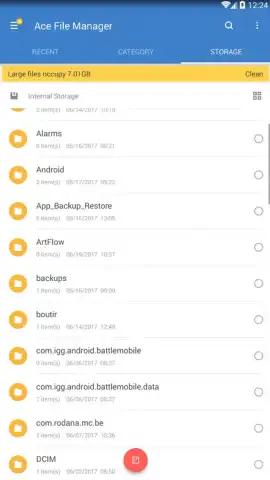

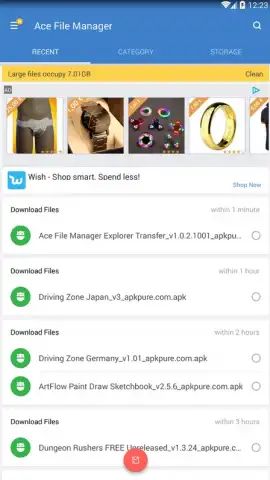

Description Ace File Manager
What Does a Modern File Manager Need to Do Well?
In an ecosystem crowded with utility apps, a file manager must transcend basic cut-and-paste operations to be genuinely useful. The Ace File Manager by RadiumDev enters this space not just as another tool, but as a comprehensive storage orchestration suite for Android. It positions itself to handle the fundamental tasks while proactively addressing the clutter that inevitably accumulates on any device. The core question for any user is whether it streamlines complexity without introducing new friction, and an initial analysis suggests it is engineered for precisely that balance.
Core Functionality and Advanced System Tools
The application provides a robust foundation with all standard file operations—moving, copying, renaming, and deleting—executed through a clean, gesture-friendly interface. Where it extends beyond convention is in its integrated storage analysis module. This feature conducts a deep scan of the device's internal memory and SD card, presenting a categorized breakdown of space usage. It doesn't just list files; it intelligently identifies redundant duplicates and flags oversized items, such as forgotten video files or app caches, that are prime candidates for cleanup. This diagnostic approach transforms file management from reactive organization into proactive storage optimization.
Another significant capability is its self-contained Wi-Fi file transfer system. This function creates a direct, peer-to-peer network between devices, allowing for the rapid movement of documents, media, and folders to another mobile device or a computer without relying on cloud services or third-party sharing apps. The process is typically initiated by generating a local web address or QR code on the sending device, which the receiver uses to connect and browse or download files directly. This feature is particularly valuable for transferring large batches of data where mobile data costs or upload speeds are a concern.
Key Features of Ace File Manager
- Execute all fundamental file operations including cut, copy, paste, rename, and delete.
- Perform deep system analysis to identify duplicate files and unnecessary clutter.
- Pinpoint and manage exceptionally large files that consume disproportionate storage space.
- Transfer files directly between devices over Wi-Fi without any intermediary applications.
- Navigate storage using a streamlined, intuitive interface designed for quick comprehension.
The absence of advertising, as noted in its promotional material, contributes to a focused user experience, removing a common point of frustration in free utility apps. The overall design philosophy appears to prioritize clarity and efficiency, presenting a hierarchical view of storage that is both powerful for advanced users and approachable for those performing basic tasks. It functions as a unified control panel for everything stored on the device.
Download Ace File Manager Now
Take direct control of your device's storage and streamline your file workflow. Download Ace File Manager today to organize, analyze, and transfer your data with precision.
An internet connection is required for initial download and for Wi-Fi Direct transfer functionality. The app may offer optional in-app purchases for advanced features.


