

Action Cam
Action Cam screenshots (3)
Description Action Cam
Transform Your Smartphone into a Professional Action Camera
Capture and edit your adventures with cinematic quality directly from your mobile device. This app unlocks professional-grade video control and seamless editing, turning everyday moments into dynamic, shareable content without the need for bulky, expensive hardware.
Core Functionality and Editing Suite
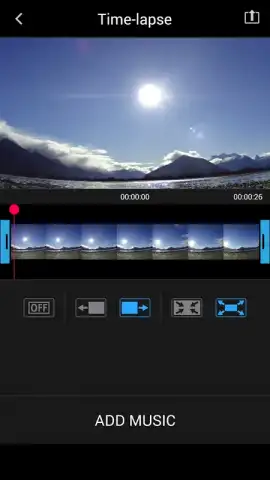
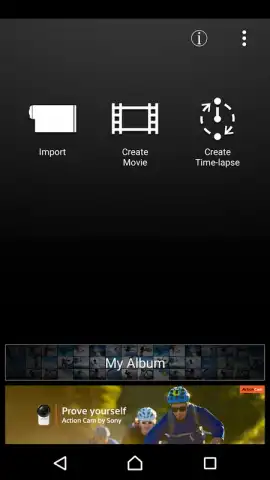
The application provides direct wireless control and content management for compatible action cameras, alongside a robust built-in editing studio for any video file. Stream high-quality live footage to your phone for framing and monitoring, then transfer clips for immediate editing. The toolkit includes multi-track timeline editing, speed adjustment tools for creating slow-motion or timelapse effects, and a library of dynamic transition effects. Apply color correction filters designed for action sports, stabilize shaky footage digitally, and overlay custom text or graphic watermarks.
Key Technical Advantages
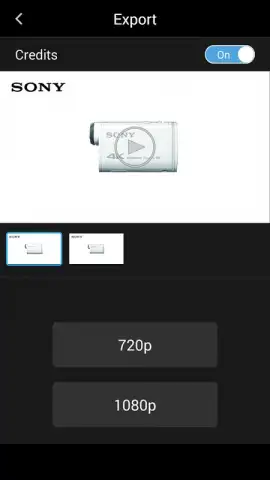
Experience a streamlined workflow from capture to export with a clean, intuitive interface designed for use on the go. The app supports high-frame-rate playback for smooth slow-motion review and offers one-touch sharing to major social platforms. Advanced rendering preserves video quality during edits, and the connection process is optimized for low latency and reliable remote control of camera settings like resolution, field of view, and exposure.
- Wirelessly connect and fully control your compatible action camera settings remotely.
- Edit videos on a multi-track timeline with trim, split, and merge tools.
- Apply stabilization algorithms to smooth out footage from high-motion activities.
- Utilize speed controls to create slow-motion highlights or accelerated timelapses.
- Access a curated library of filters and color-grading presets for instant style.
Download the Action Cam app now—exclusive access to premium editing features is free for a limited time for new users.
The application requires a persistent internet connection for initial setup, device pairing, and access to cloud features. Some advanced filters, tools, or export options may require in-app purchases. Functionality with external cameras is hardware-dependent.


