

Adobe Color CC
Adobe Color CC screenshots (6)
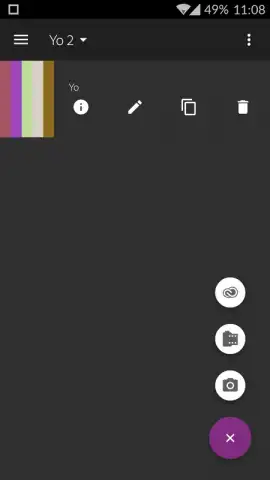



Description Adobe Color CC
Unlock the World's Colors and Transform Your Creative Workflow Instantly. Adobe Color CC turns your Android device into a professional color extraction tool, seamlessly bridging the gap between inspiration and execution in Adobe Photoshop. Capture any scene, object, or texture with your camera, and generate perfect, harmonious color palettes in seconds.
Powerful Color Creation and Management
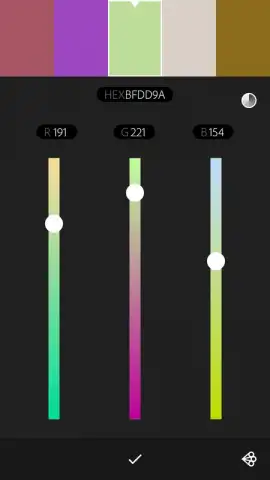
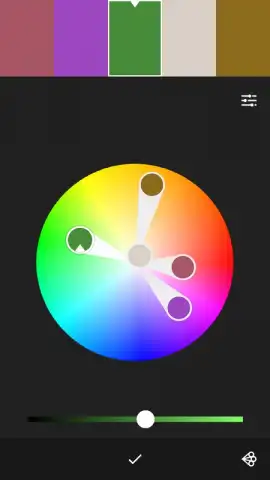
This essential app from Adobe automates the complex process of color theory. Simply point your device's camera at your subject—a painting, a landscape, a fabric swatch—and the intelligent engine analyzes the live view to construct a cohesive, five-color palette automatically. You maintain complete creative control with manual adjustment tools for each extracted color, allowing for precise fine-tuning of hue, saturation, and brightness. Finalized palettes are saved directly to your device and instantly synced to your Adobe Creative Cloud account, making them immediately available for use in Photoshop, Illustrator, or any other Creative Cloud application. This creates a fluid, integrated workflow where inspiration captured on mobile is ready for professional design work on the desktop without any manual transfer.
A Designer's Essential Companion
Adobe Color CC functions as a vital extension for photographers, digital artists, and designers. It solves the challenge of manually color-matching references by providing a fast, accurate, and portable solution for developing custom color schemes tailored to any specific project. The app operates without advertisements, ensuring an uninterrupted, focused creative process.
- Extract Palettes with Your Camera
- Manually Fine-Tune Every Color
- Sync Instantly to Adobe Creative Cloud
Start transforming visual inspiration into professional color schemes today. Download Adobe Color CC now and inject perfect color into every project.
Internet required for sync. IAP available.


