

Advanced Task Killer
Advanced Task Killer screenshots (2)
Description Advanced Task Killer
Advanced Task Killer: Direct Process Management for Android Performance
This utility provides direct control over background processes and applications on Android devices. By terminating non-essential tasks, it aims to free up system resources such as RAM and CPU cycles. This functionality is particularly relevant for managing performance on devices with limited hardware, where multiple concurrent applications can impact system responsiveness. The tool operates without displaying advertisements during its core management functions.
Core Functionality and Operational Modes
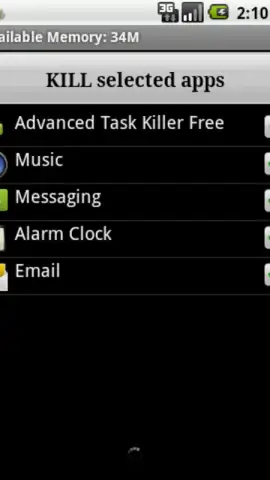
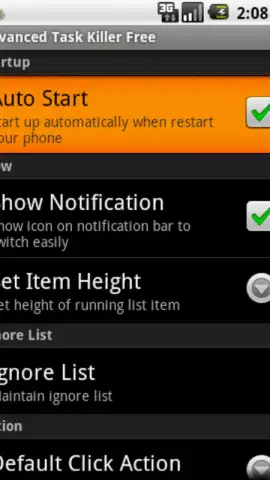
The application serves as a dedicated process management tool. It scans for and lists currently running applications and background services, allowing for selective or bulk termination. The interface typically provides a one-tap action to stop selected processes. This action is intended to immediately reclaim the memory and processing power those tasks were utilizing. For sustained management, the tool can often be configured to perform automatic cleanup under specific conditions, such as when the device screen is locked.
- Terminate individual or multiple background applications and services to free system RAM.
- View a detailed list of all currently running processes with associated resource usage data.
- Execute a one-tap optimization to stop all non-essential tasks with a single command.
- Configure automatic process cleanup rules triggered by device events like screen lock.
- Access a system overview panel displaying available memory before and after cleanup.
Get precise control over your device's resources and download the mobile app now.
Heads up: you'll need wifi for initial download and updates. Some advanced automation features may be extra.


