

Android Assistant
Android Assistant screenshots (4)
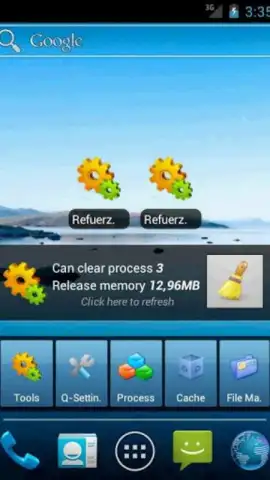
Description Android Assistant
A Comprehensive Toolkit That Transforms Android Management
Android Assistant positions itself not as a single utility, but as a consolidated dashboard of 18 distinct tools designed for granular device control. It moves beyond superficial cleaning apps by offering system-level monitoring and management capabilities typically fragmented across multiple applications. The core proposition is centralization: providing a single interface from which to audit performance, manage storage, and control application behavior, thereby reducing the need to navigate through disparate system menus.
Detailed Analysis of Functionality and Utility
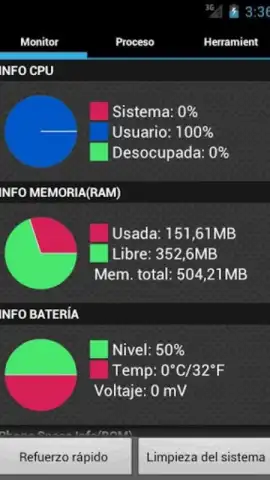
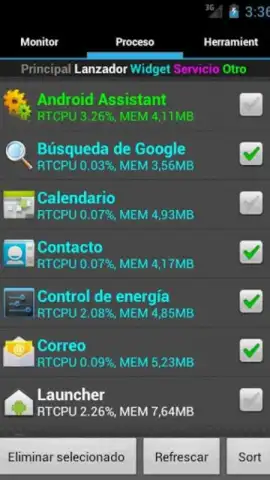
The application's tools are logically segmented into operational categories. The first suite focuses on system diagnostics and optimization. This includes real-time monitoring of critical hardware statuses like CPU load and memory allocation, providing a clear window into what resources are being consumed. It extends to a detailed process manager, allowing for the termination of background tasks, and incorporates several cleaning engines. These target not just generic cache but also specific data repositories such as browser history and the clipboard, aiming to reclaim storage and potentially improve responsiveness.
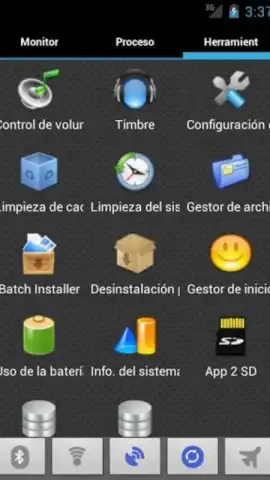
A separate, powerful module is dedicated to application management. This goes far beyond the standard uninstaller, offering control over which apps are permitted to launch automatically at system startup—a common source of slowdown. It provides tools for analyzing and managing storage on both internal memory and SD cards, and includes a batch operation feature for the efficient removal of multiple applications simultaneously. Furthermore, the app serves as an information hub, aggregating data on device specifics like current ringtone settings, detailed battery health and charge cycles, and other system parameters, all configurable from within its unified interface.
Core Feature Set at a Glance
- Real-Time System Monitor: Track live CPU usage, RAM allocation, and storage status with detailed, updating readouts.
- Advanced Application Control: Manage auto-start programs, execute batch app removals, and audit SD card storage allocation.
- Multi-Engine Cleaning Suite: Target and clear cache files, browser history, and clipboard data with dedicated cleanup tools.
We suggest trying Android Assistant if you seek a unified platform for advanced device stewardship beyond basic cleanup. Consider downloading it for direct control over startup programs and system processes.
Heads up: you'll need wifi for most features. Some cool stuff is extra.
 GooglePlay


