

Android Safari
Android Safari screenshots (4)
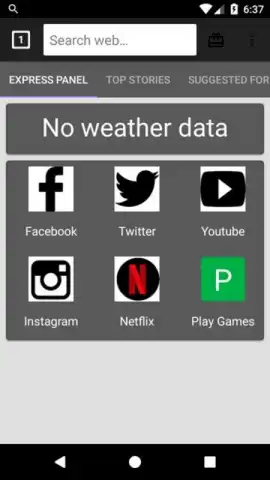
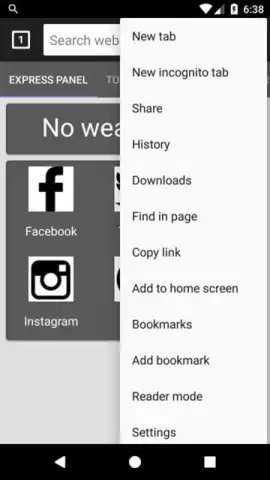


Description Android Safari
Struggling with a slow, cluttered browser that drains your battery and invades your privacy on your Android device?
Android Safari delivers a streamlined, high-performance mobile browsing experience engineered for speed and efficiency. This browser strips away unnecessary bloat to provide a fast, responsive interface that respects your device's resources and your personal data. It is built to handle modern web content smoothly while maintaining a minimal footprint, turning your everyday browsing into a noticeably quicker and more reliable activity.
Core Features & Functionality
The app focuses on core browsing enhancements through a set of dedicated tools and modes. A central data saver mode compresses web pages and media in the background to significantly reduce cellular data consumption. The integrated ad and tracker blocker not only speeds up page loading but also prevents invasive scripts from monitoring your activity. For private sessions, an incognito mode with enhanced cookie management ensures no history or search data is stored locally. The browser also supports customizable gesture controls for navigation, allowing you to swipe to go forward or back, and includes a native download manager with support for multiple file formats and pause/resume functionality.
Key Advantages
- Optimized Performance: Utilizes minimal RAM and CPU cycles for faster page rendering and reduced battery drain.
- Enhanced Privacy Controls: Built-in protection against fingerprinting and malicious pop-ups without requiring complex extensions.
- Clean, Adaptable Interface: A highly customizable start page with quick-access tiles and support for system-wide dark mode.
-
Efficient Resource Management: Intelligent tab hibernation and memory cleaning tools keep the browser running smoothly over long sessions.
-
Experience data-light browsing with automatic compression for images and video streams.
- Block unwanted ads, pop-ups, and third-party trackers directly from the main settings menu.
- Browse privately with an incognito tab that doesn’t save history or form data.
- Control navigation with customizable swipe gestures and one-handed mode for larger screens.
- Manage downloads efficiently with a dedicated manager supporting background downloads.
We suggest trying Android Safari for a noticeably faster and more controlled web experience on your device.
Disclaimer: This application requires an active internet connection. It may contain optional in-app purchases. The app is rated for users of all ages. Data usage depends on your browsing activity, and features like data compression may alter image quality. Please review the app permissions upon installation.


