

Andy Remote Control
Andy Remote Control screenshots (5)

Description Andy Remote Control
Ever wished your phone could be the ultimate remote for your favorite Android games on PC?
Imagine this: you're deep into an epic gaming session on your Android emulator, but using a keyboard and mouse just doesn't feel right for that racing game or classic platformer. What if you could simply pick up your Android phone and use its touchscreen as a natural, responsive controller? That's the exact experience Andy Remote Control unlocks. It seamlessly bridges your mobile device and your computer, transforming your phone into a dedicated wireless remote, specifically designed for the Andy emulator. Feel the immediate upgrade in control and immersion.
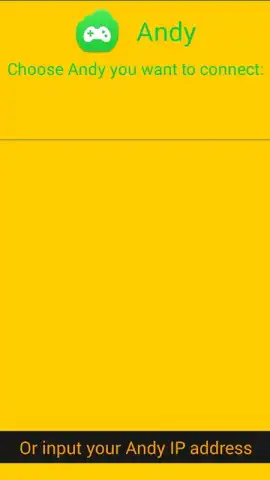
This tool is all about streamlined, ad-free convenience. Once you have the Andy emulator running on your PC, connecting is a breeze—just ensure both devices are on the same WiFi network. Your phone instantly becomes a versatile input device, sending taps, swipes, and commands directly to the emulator window. It’s perfect for gaming, navigating apps, or even giving presentations, all from the comfort of your couch. The connection leverages a special Turbo mode to enhance responsiveness, making your interactions feel direct and intentional.
Your Pocket-Sized Command Center
Andy Remote Control is built for one purpose: to give you precise, wireless control over your Andy emulator from your Android device. It’s the missing link for a truly flexible emulation setup.
- Transform your Android phone into a dedicated wireless touch controller for seamless emulator interaction.
- Enjoy a completely ad-free experience with enhanced performance thanks to the integrated Turbo mode.
- Achieve simple setup with automatic WiFi network detection between your computer and mobile device.
- Gain a significant advantage in touch-centric games and applications where a phone screen is the ideal control surface.
- Experience a solution built exclusively for perfect compatibility with the Andy Android emulator ecosystem.
It’s important to manage expectations for real-time performance. You might notice a slight latency in the connection, and depending on the app you're controlling, the frame rate on your phone's remote screen may sometimes feel less fluid than desired. This is a common trade-off with wireless solutions. Also, remember this is a dedicated tool—it works flawlessly with the Andy emulator but is not designed to control other emulators or general PC functions.
For anyone using the Andy emulator who wants a more authentic, portable way to play and interact, this app is a game-changer. Consider downloading Andy Remote Control to unlock the full potential of your emulator setup.
Download the Andy Remote Control app now and turn your phone into the ultimate emulator remote.
Heads up: you'll need wifi for most features. Some cool stuff is extra. Requires the Andy emulator to be installed and running on your computer.


