
Archos Remote Control
Archos Remote Control screenshots (4)
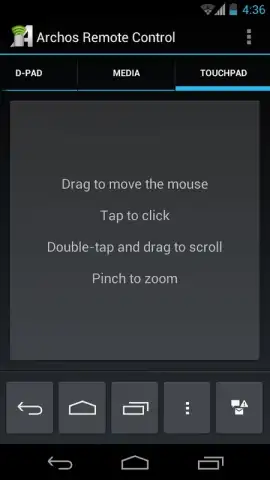
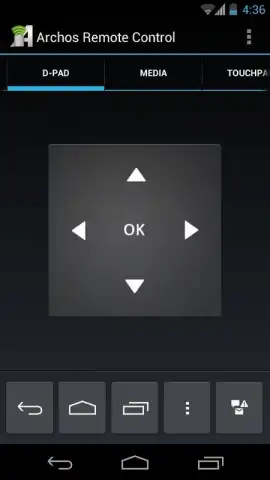
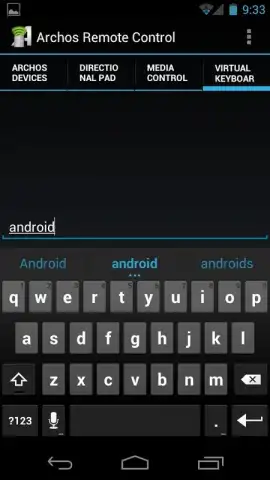
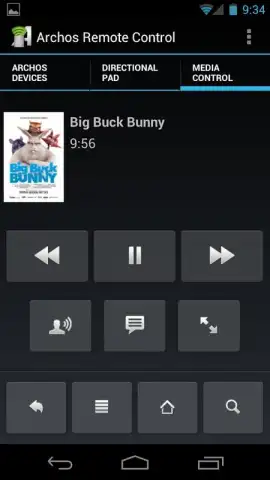
Description Archos Remote Control
A Forgotten Remote, a Modern Solution
It’s a common scene: the dedicated remote for your Archos tablet is buried in a couch cushion or its battery has finally given out. Instead of searching for a universal remote or navigating with cumbersome buttons, there’s a more integrated solution already in your pocket. The Archos Remote Control app transforms your Android smartphone into a dedicated, intelligent controller for your Archos hardware. This isn't a generic infrared blaster; it's a network-based utility designed for deep compatibility with specific Archos generations, offering a level of direct control that feels like it was part of the original system design. The experience hinges on a simple prerequisite—both devices sharing a Wi-Fi network—which unlocks a surprisingly responsive and convenient management tool right from your primary phone.
Functionality and Core Integration
The application operates on a principle of targeted compatibility rather than broad, generic support. It is engineered to communicate seamlessly with defined Archos tablet series, including the 101XS (Gen10), 80G9, 101G9 (Gen9), and the Gen8 family. This ensures stable connectivity and reliable command transmission, provided the firmware on the Archos tablet meets the app's requirements. The setup is straightforward but specific: your controlling Android device needs version 1.6 or higher, while the Archos tablet must be running precise firmware versions—4.0.24 for Gen10, 4.0.25 for Gen9, or 2.4.83 for Gen8 models. Once connected to the same wireless network, the app establishes a link, turning your phone's screen into a control panel.
One of the most intuitively useful features is the volume passthrough function. By simply pressing the physical volume keys on your smartphone, you can adjust the audio output on the paired Archos tablet in real time. This eliminates the need to pick up the tablet for a basic adjustment, streamlining media consumption. The app essentially creates a bridge between the devices, allowing for this kind of hardware-level interaction over the network. It’s a focused tool that excels at its primary job: replacing a lost or broken remote with a more accessible and always-handy alternative.
- Generation-Specific Device Control: Manage Archos Gen8, Gen9, and Gen10 tablets directly from your phone, requiring precise firmware for a stable, dedicated remote connection.
- Smartphone Volume Key Integration: Use your phone's physical volume buttons to instantly control the audio level on your linked Archos tablet for seamless media adjustments.
- Network-Based Operation: Enjoy reliable, responsive control through a local Wi-Fi link, ensuring both devices are on the same network for optimal performance.
We suggest trying the Archos Remote Control if you own a compatible tablet and seek a practical, always-available replacement for its physical remote. Consider downloading it to consolidate your controls and add convenience to your media setup.
Heads up: you'll need Wi-Fi for all remote features. Some cool stuff requires specific tablet firmware.


