

ARDUINO-UZA365
ARDUINO-UZA365 screenshots (6)
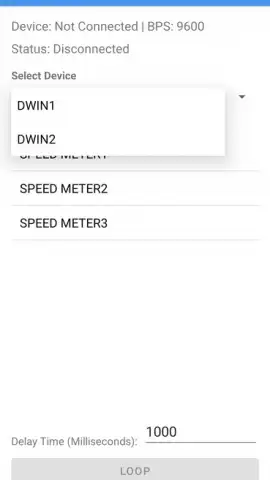
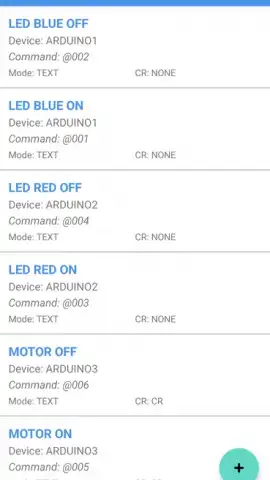
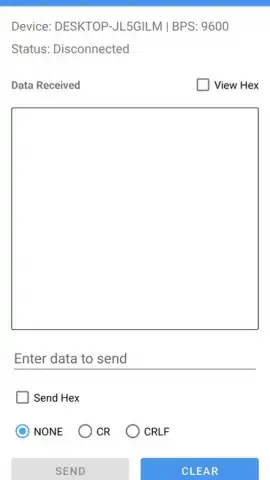
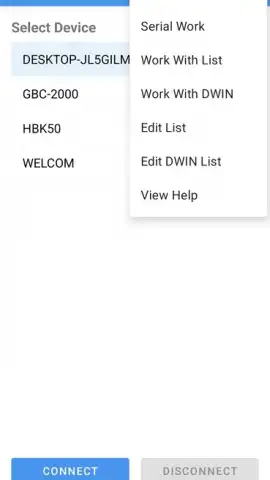
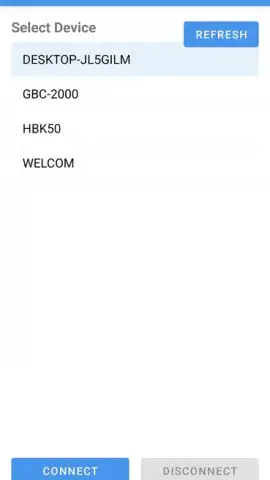

Description ARDUINO-UZA365
Ever wished you could control the physical world from your phone?
Imagine turning your smartphone into a remote command center for lights, motors, and sensors. ARDUINO-UZA365 bridges the gap between the digital and physical, putting the power of microcontroller programming directly into your hands. No more being tied to a desktop computer; your next automation project or prototype starts here, wherever you are.
Your Mobile Toolkit for Arduino Development
This app transforms your Android device into a portable workstation for Arduino enthusiasts and makers. You can write, compile, and upload sketches to your board over a wireless or USB connection, directly from your phone or tablet. It provides a streamlined code editor with syntax highlighting, making on-the-fly adjustments intuitive. The integrated serial monitor lets you debug in real-time, seeing sensor data or system outputs instantly. Manage libraries and board definitions directly through the app to keep all your project assets in one mobile hub.
Why This App Becomes Your Essential Companion
The core advantage is unparalleled portability and convenience. You are no longer confined to a workshop; you can troubleshoot, update, or demonstrate your Arduino projects from anywhere. The user interface is designed for clarity on a mobile screen, ensuring that code and controls are always accessible. It supports a wide range of official and common third-party Arduino boards, giving you the flexibility to work with various hardware. Regular updates ensure compatibility with new board types and Arduino core libraries, keeping your mobile toolkit future-proof.
- Wireless Code Upload: Send your sketches to the Arduino board via Bluetooth or Wi-Fi without cables.
- Mobile-Optimized Code Editor: Write and edit code with syntax highlighting and auto-formatting on the go.
- Real-Time Serial Monitor: Debug projects instantly with a live data feed from your board.
- Integrated Library Manager: Easily search, install, and update code libraries directly within the app.
- Broad Hardware Support: Connect and work with a wide array of Arduino and compatible boards.
Download the ARDUINO-UZA365 mobile app now! This is your exclusive access to truly mobile-first prototyping. Limited offer for new users to experience the freedom of wireless development—start building anywhere, today.
Disclaimer: This application requires a stable internet connection for initial setup, library management, and certain features. It may contain in-app purchases for advanced functionality or premium support. The app requires Android 8.0 or higher. Data usage may apply depending on your connection method and activity. Use of this app to interface with hardware involves electrical components; the developer is not responsible for any damage to equipment. Always ensure safe handling of electronic devices.
 GooglePlay


