

aShell
aShell screenshots (4)
Description aShell
Direct ADB Control on Your Android Device, No Computer Required
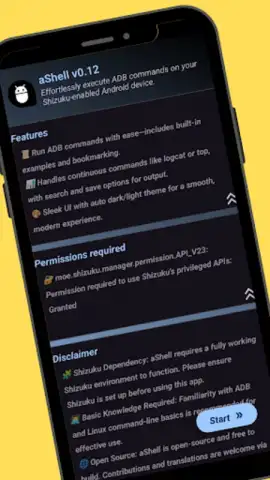
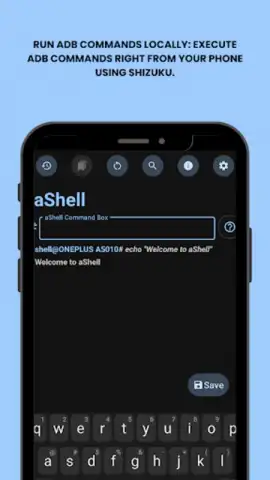
aShell is a dedicated mobile application that provides a direct, local interface for executing Android Debug Bridge commands on an Android smartphone or tablet. It eliminates the traditional dependency on a desktop computer and USB debugging connections, shifting advanced device control entirely to the mobile environment. The application operates in conjunction with the Shizuku framework, enabling deep system-level operations directly from the device itself. This tool is engineered for developers, system administrators, and advanced technical users who require granular control over processes, system settings, and debugging tasks without external hardware. Its lightweight architecture ensures minimal resource overhead while maximizing the utility of the Android command-line interface for device optimization, automation, and real-time system analysis.
Core Functionality and Operational Features
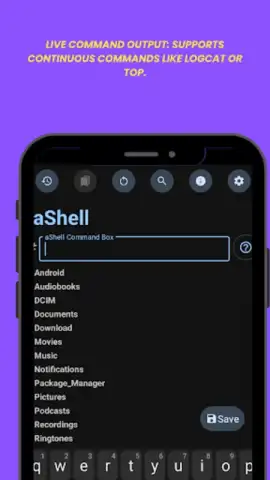
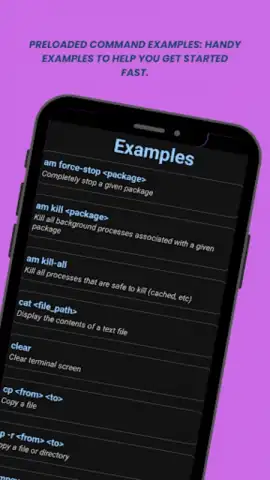
The application centers on a robust terminal interface that processes standard ADB shell commands locally. Users can execute commands for package management, process control, system property modification, and file operations directly. A comprehensive library of built-in command examples is included, serving as both a practical toolkit and an educational resource for learning advanced ADB syntax and use cases. For monitoring dynamic system events, the live command output feature provides a real-time stream, ideal for tracking logcat outputs, monitoring CPU and memory usage via top or dumpsys commands, or watching network activity. This turns the device into a self-contained diagnostics station.
To enhance productivity, the application includes several output management utilities. Users can perform precise text searches within lengthy command results to filter and locate specific data points instantly. Any command output can be saved directly to a standard .txt file on the device's internal or external storage for documentation, sharing, or later analysis. The user interface is designed for efficiency, featuring a bookmarking system that allows for the saving and one-tap execution of complex, frequently used command strings. The application supports full system integration with a dynamic theme engine, automatically switching between dark and light modes based on the host device's global settings to reduce eye strain and maintain visual consistency.
- Execute ADB commands without a PC
- Real-time live output for monitoring
- Save and search command results
Optimized for Advanced Device Management
Beyond basic command execution, aShell facilitates complex operational workflows. It allows for the scripting of sequential commands and provides a stable environment for tasks typically reserved for connected workstations. The absence of advertisements and the efficient processing engine, referred to as Turbo mode, ensure an uninterrupted, responsive experience even during resource-intensive operations. This makes it a practical tool for real-world scenarios such as batch-disabling bloatware, extracting detailed system information, controlling background services, or testing app permissions. Its standalone nature makes it particularly valuable for on-the-go diagnostics and device provisioning.
Get your professional advantage and unlock full device control. Start executing advanced commands directly today.
Download mobile app now
Disclaimer: This application requires an active internet connection for initial setup and potential updates. It must be used with the Shizuku framework, which necessitates specific device permissions. The application involves direct system access and is intended for users with technical expertise; incorrect command usage may affect device stability or data. It may access system logs and processes during normal operation. Use is subject to your device's terms and age restrictions. Data usage applies.
 GooglePlay


