

ASUS Gallery
ASUS Gallery screenshots (6)


Description ASUS Gallery
A dedicated gallery application designed exclusively for ASUS Android hardware, offering a streamlined and optimized environment for managing local media libraries.
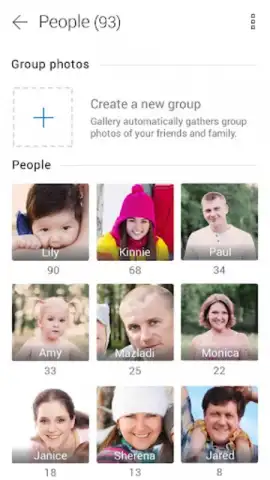
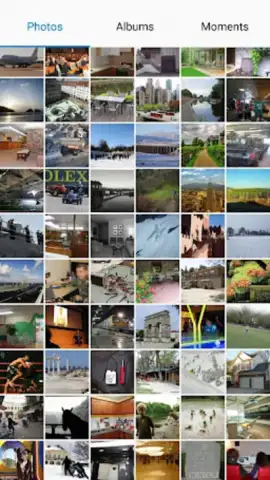
ASUS Gallery is the proprietary photo and video management application pre-configured for ASUS smartphones and tablets. Its core function is to provide a direct interface for browsing all camera-captured content and downloaded image files stored on the device's internal memory and external SD cards. The application supports a wide range of common file formats, including JPG, PNG, BMP, WEBP, and GIF, ensuring broad compatibility for user media. It is critical to understand that this software is engineered specifically for ASUS devices running Android 8 (Oreo) and later versions. Installation on non-ASUS hardware is not supported and will likely result in functionality issues or a failed installation attempt. The primary use case is for ASUS device owners seeking a stable, integrated alternative to their default gallery app or those troubleshooting issues with their current media library.
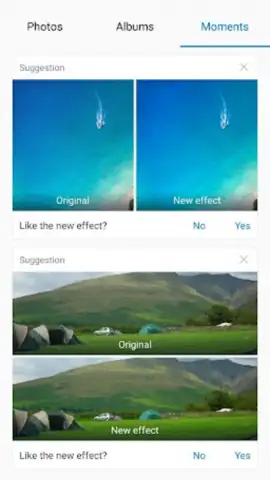
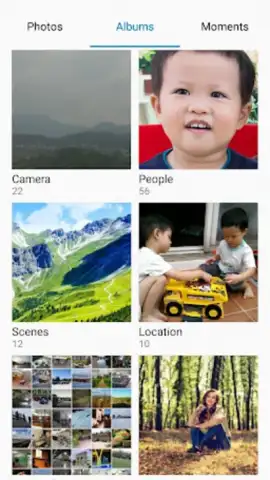
The application operates without displaying third-party advertisements. Its organizational system is folder-based, granting users full manual control over their media library structure. You can create an unlimited number of custom albums to categorize photos by event, subject, project, or any other personal criteria. This allows for physical separation of, for instance, personal family photos from work-related documents or screenshots. Furthermore, the gallery can automatically sort and suggest groupings based on metadata such as geographic location and date, facilitating the creation of travel or event-specific albums without manual sorting. A distinct "Moments" tab employs basic algorithmic analysis to surface curated suggestions for your photos and videos. These suggestions typically focus on automated adjustments like color correction, exposure balancing, or cropping recommendations, and may occasionally include templates for applying simple stylistic filters or collage layouts.
- Exclusive ASUS Device Integration: This gallery is hardware-optimized solely for ASUS Android phones and tablets, ensuring smooth performance and direct file system access.
- Comprehensive Manual Media Organization: Create unlimited custom folders and albums to categorically sort images and videos with complete user-defined control.
- Automated "Moments" Curation Engine: Features a dedicated tab that analyzes your library to provide automated edit suggestions and basic creative templates for photos.
Download this mobile app now if you are an ASUS device user requiring a dedicated, ad-free gallery solution. Install it immediately to regain control over your local media library with a tool built for your specific hardware.
Disclaimer: This application requires an ASUS-branded Android device (Android 8+) to function. It requires permissions to access media files and storage on your device. The application may suggest in-app actions for editing. An internet connection may be used for certain features. Always download applications from official and trusted sources.


