

Atlas Web Browser
Atlas Web Browser screenshots (6)
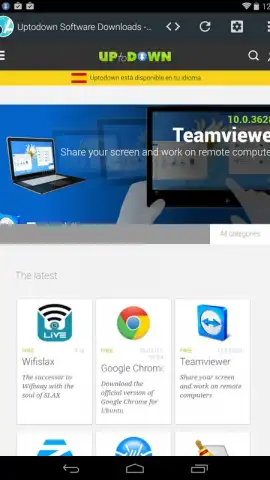
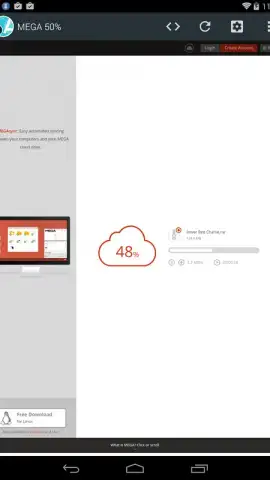


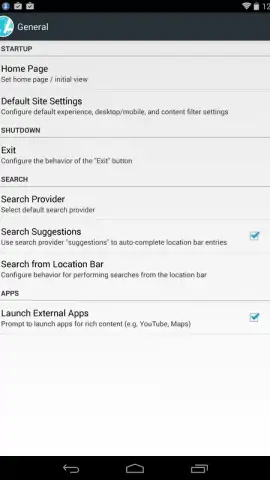
Description Atlas Web Browser
A Lightweight Contender in a Crowded Field
In an era where mobile browsers often feel like bloated software suites, consuming excessive storage and memory, the Atlas Web Browser presents a clear alternative. Its core proposition is uncompromising efficiency, with an installation footprint of approximately 500 KB—a fraction of mainstream competitors. This review examines whether this minimalist approach sacrifices essential functionality or successfully delivers a capable, tool-rich browsing experience for users prioritizing performance and control over their mobile web environment.
Functional Analysis and Feature Set
Beyond its minimal size, Atlas Web Browser is built around a practical, integrated toolkit designed to streamline common tasks. The tab management system utilizes a sidebar interface, keeping navigation clean and accessible without cluttering the viewport. It supports standard organizational features like bookmarks and a comprehensive history log. A significant operational advantage is the inclusion of a Turbo mode, which actively blocks intrusive advertisements and can optimize data usage, potentially extending battery life and conserving mobile data allowances.
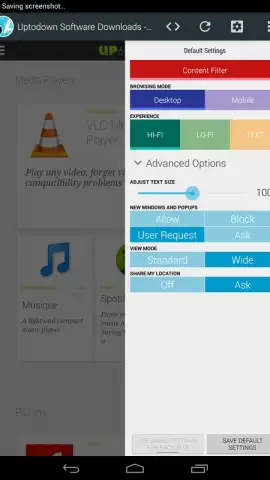
The browser provides notable control over page rendering. A dedicated button allows for instant toggling between mobile and desktop view modes, useful for accessing the full version of websites. Text scaling is adjustable system-wide with simple controls. Furthermore, Atlas includes configurable site filters. When applied judiciously, these filters can strip away heavy, non-essential page elements like complex scripts or high-resolution images that are not critical for content consumption, contributing further to the browser's efficiency goals regarding speed and resource conservation.
- Ultra-Compact Installation requires only about 500 KB of device storage space.
- Sidebar Tab Management offers a clean, organized interface for multi-tab browsing.
- Integrated Turbo Mode blocks ads and optimizes data to save bandwidth and battery.
- Desktop/Mobile View Toggle instantly reformats any website for optimal display.
- Granular Text and Filter Controls allow for custom font sizing and content filtering.
While it positions itself as a robust, all-terrain browser, some users may note that its pursuit of leanness can occasionally come at the cost of the absolute stability found in more mature, resource-intensive platforms. However, for the user seeking a powerful, highly customizable, and incredibly lightweight web client, Atlas presents a compelling and efficient package.
Start winning back your device's performance and browsing control today. Download Atlas Web Browser now and claim your efficiency advantage.
Requires an internet connection. The app may contain optional in-app purchases.


