

Audio Speed Changer
Audio Speed Changer screenshots (5)
Description Audio Speed Changer
Struggling with Rigid Audio Playback? A Tool for Precise Speed Control
For musicians, language learners, or content creators, standard audio players present a significant limitation: fixed playback speed. Whether you're trying to transcribe a complex guitar solo, understand rapid dialogue, or create unique soundscapes, the inability to dynamically control tempo forces you into a passive listening role. Audio Speed Changer by Gabriel Simões addresses this directly, transforming your device into an active audio manipulation tool. It moves beyond simple global speed adjustments, offering segment-specific control that allows for detailed, surgical edits to any audio file's timeline. This functionality is not merely about making audio faster or slower; it's about gaining mastery over time itself within the media, enabling workflows that are impossible with conventional players.
Core Mechanics and Analytical Breakdown
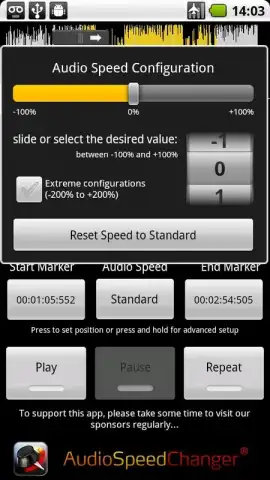
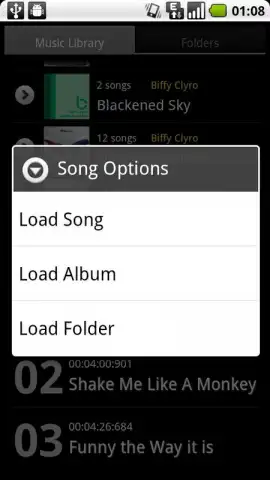
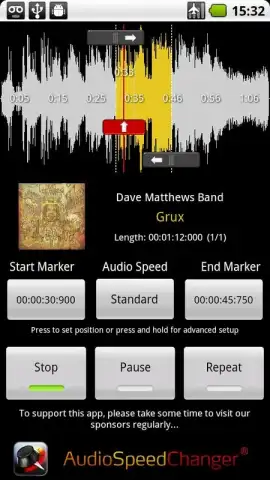
The application operates on a principle of real-time, non-destructive time-stretching. Upon loading an MP3 or WAV file—ensuring broad compatibility with the most common audio formats on Android—the interface presents a waveform and a straightforward playback panel. The primary mechanic is the adjustable speed slider, which offers a range from -100% to +100%. At the extreme positive end, audio is accelerated to double its original speed, which inherently shifts pitches upward, creating a distinctive, high-frequency emphasized effect. Conversely, at -100%, the audio is stretched to half-speed, producing dramatically lowered, resonant bass tones and revealing minute sonic details typically lost at normal pace.
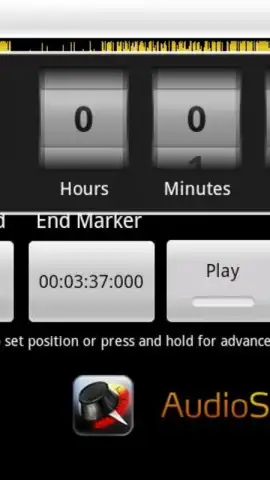
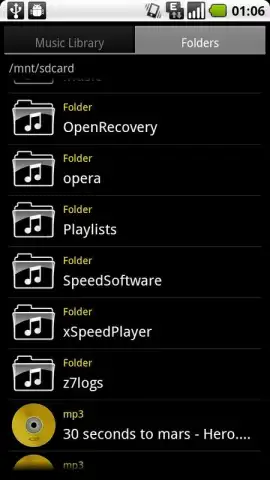
The application's most potent feature is its marker-based segment control. Users can place precise in and out points directly on the audio waveform to isolate any section—a single phrase, a drum fill, or a difficult chord progression. This selected segment can then have a unique speed adjustment applied independently from the rest of the track. This means you can slow down a complex four-second guitar lick to -50% for learning purposes, while the preceding and following sections continue to play at normal speed, maintaining the musical context. Furthermore, the app supports batch processing of entire folders, a significant efficiency gain for users managing large collections of lecture recordings, interview clips, or practice sessions directly from their device's storage.
The practical applications are extensive. For musicians, it's an invaluable practice tool for learning solos by ear. For students, it aids in the comprehension of dense lecture material or foreign language podcasts. For audio editors and meme creators, it provides instant access to the classic "nightcore" speed-up or deep, slowed-down effects without needing complex desktop software. The output retains acceptable audio quality for its purpose, focusing on functional time manipulation rather than pristine, studio-grade pitch correction, which aligns perfectly with its on-the-go, utility-first design philosophy.
- Real-time speed adjustment from -100% to +100%
- Precise marker system for segment-specific control
- Full support for MP3, WAV, and folder batch processing
- Clean, ad-free interface with Turbo performance
This level of detailed audio control is typically found in premium desktop applications. For a limited time, exclusive access to Audio Speed Changer is available to new users directly via the Play Store. This is not a simplified toy but a professional-grade tool adapted for mobile use—download it today before this introductory access period concludes.
Download the mobile app now.
Internet required. IAP available.


