
Видео аудио резак
Видео аудио резак screenshots (4)
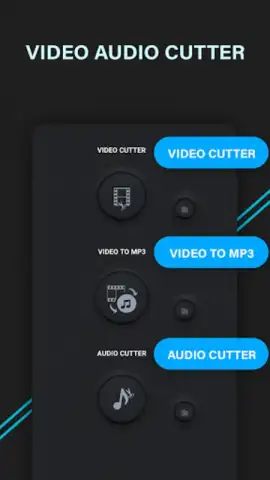
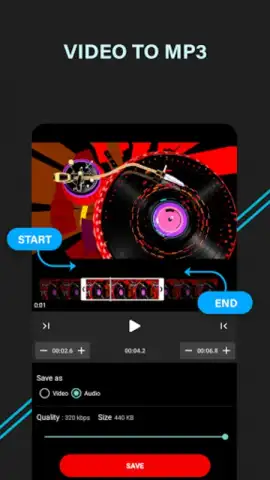
Description Видео аудио резак
Imagine you've just captured the perfect video clip or found an incredible song, but there's a long, silent intro or an awkward outro you need to trim. Manually editing feels cumbersome, and professional software is overkill. This is the precise gap the Video Audio Cutter app fills—a streamlined, no-fuss tool designed to make precise media editing as simple as a few taps on your phone.
Core Editing Mechanics and Tools
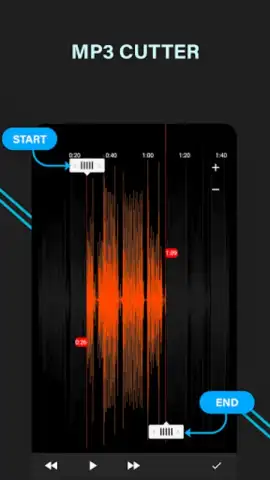
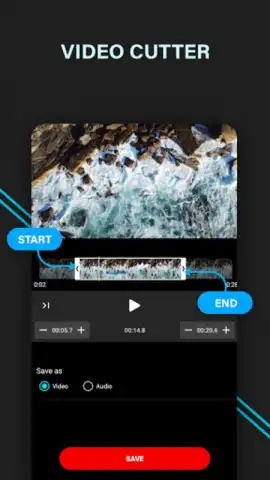
This application functions as a dedicated, lightweight editor focused on the essential tasks of cutting and merging audio and video files. The core mechanic revolves around a visual timeline editor. Upon importing a file, you are presented with a waveform for audio or a scrubber bar for video, allowing for frame-accurate selection. You set precise start and end points by dragging markers, then execute a clean cut. For merging, the app provides a straightforward queue system where you can arrange multiple clips or songs in a specific order before combining them into a single, seamless file. The process is designed to be linear and intuitive, removing complex menus and focusing on direct manipulation of the media.
Key Operational Advantages
The primary strength of this tool is its focused utility and operational efficiency. It avoids feature bloat, presenting a clean interface that loads files quickly and processes edits without unnecessary delays. The visual feedback from the waveform and timeline is immediate, ensuring you know exactly what part of the track you are keeping or discarding. Performance is optimized for the mobile environment, handling common file formats without demanding significant system resources. This results in a user experience defined by clarity and speed, turning a potentially technical task into a simple, three-step process: import, select, and export.
- Precision cutting tool for frame-accurate video and sample-accurate audio trimming.
- Simple merge function to combine multiple clips or songs into one continuous file.
- Clean, timeline-based interface with visual waveforms and draggable cut points.
- Fast processing engine that handles edits and exports without long waiting times.
- Direct sharing to social platforms or saving in high quality to your device.
Stop compromising with clumsy editors or complex software. Get the straightforward cutting tool you need for your projects today.
Download the Video Audio Cutter app now and start editing with precision in seconds!
A stable internet connection may be required for certain functions. The app may offer optional in-app purchases.
 GooglePlay


