

Auto Clicker
Auto Clicker screenshots (5)
Description Auto Clicker
What if your Android device could handle repetitive screen interactions for you?
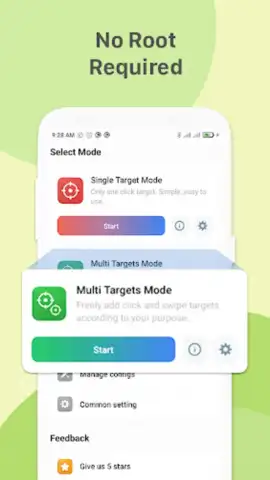
Auto Clicker by Falcon Security Lab is a utility application designed to automate touchscreen gestures, transforming how you manage monotonous tasks. It operates by simulating user input, executing precise taps and swipes at predefined screen coordinates and intervals. This functionality is engineered for scenarios requiring sustained interaction, such as incremental mobile games, lengthy document scrolling, or bulk social media engagement. The application leverages standard Android permissions for accessibility services and system window overlays to perform its core automation, requiring no root access, which preserves device integrity and simplifies setup. Its primary value lies in converting manual, repetitive actions into a streamlined, automated process, thereby reducing physical interaction and potentially increasing task efficiency over extended periods.
Core Mechanics and Operational Flexibility
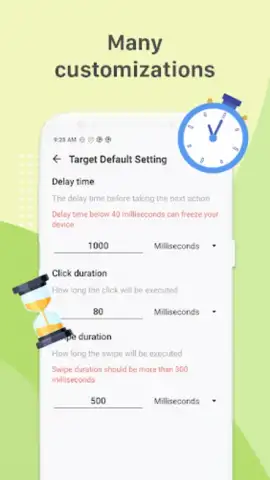
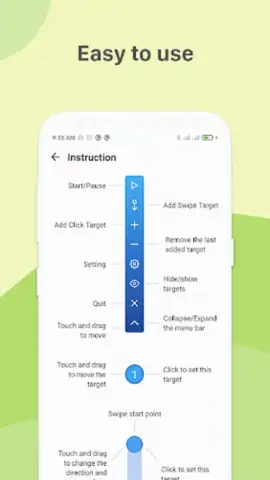
The application’s architecture supports both simple and complex automation sequences. Users can configure a single, persistent click on a fixed location with adjustable timing, ideal for games or apps with a static interaction point. For more sophisticated needs, it allows the creation of multi-point sequences, where a chain of taps or swipes can be programmed to execute in a specific order across different screen regions. This is particularly useful for navigating through multi-step processes or performing compound gestures. The interface is structured to guide new users through initial setup with clear controls, while also providing depth in configuration—such as setting exact intervals, defining gesture duration, and saving multiple profiles—for those seeking granular control over their automations.
Analytical Breakdown of Key Utilities
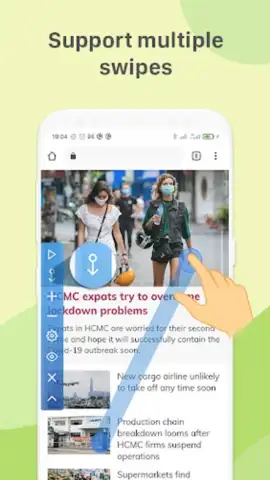
- Configurable Click & Swipe Automation: Program precise screen tap locations and swipe trajectories with adjustable timing intervals and repeat counts for tailored task execution.
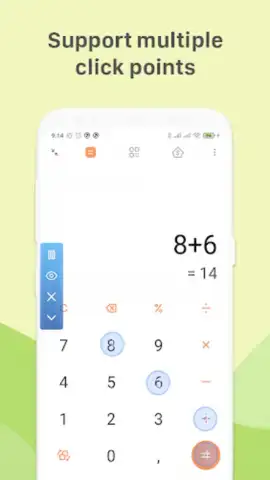
- Multi-Point Sequence Builder: Design and execute complex automation chains involving several actions across different screen areas in a defined, repeatable order.
- Non-Root Accessibility Operation: Functions using standard Android accessibility frameworks, ensuring broad device compatibility without compromising system security or warranty.
The tool’s utility extends beyond casual use; it serves as a practical instrument for stress-testing app interfaces or performing repetitive data-entry simulations. Its design avoids superfluous graphics or gamification, focusing instead on responsive and reliable performance. The absence of advertisements during operation, a noted feature, minimizes interruptions, allowing automated sequences to run their course without interference. This makes it a focused productivity adjunct for the pragmatic user.
Download the Auto Clicker app now—exclusive access to streamlined automation is available for a limited time to new users. Install today to transform your device interaction.
Disclaimer: This application requires an internet connection for initial download and potential updates. It may involve in-app purchases for premium features. Use in accordance with your device’s terms and applicable local laws; some functions may not be suitable for all ages. The app uses accessibility services and may collect anonymized performance data to improve functionality. The developer is not responsible for any account restrictions imposed by third-party apps or games due to automated interaction. Use responsibly.
 GooglePlay





