

Avast Wi-Fi Finder
Avast Wi-Fi Finder screenshots (8)
Description Avast Wi-Fi Finder
What if you could locate free, public Wi-Fi networks with a single glance at a map?
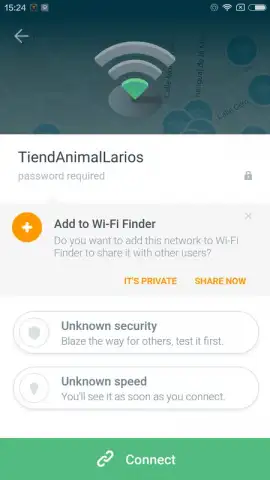
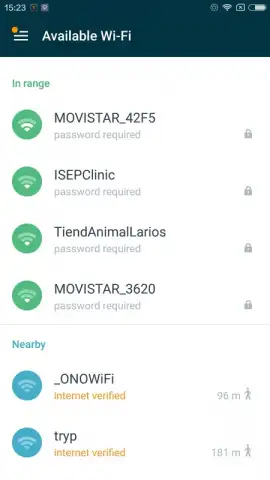
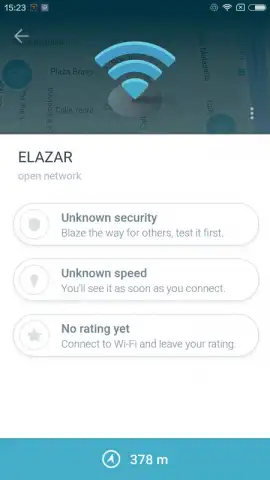
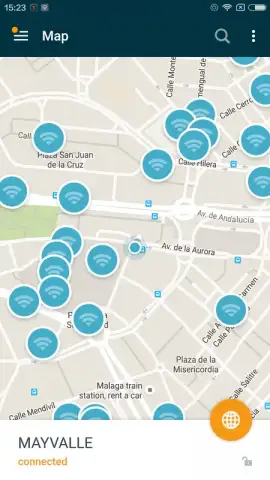
Avast Wi-Fi Finder operates as a community-powered utility designed to identify and catalog accessible wireless internet connections in your vicinity. The core functionality centers on an interactive map interface that visually plots detected Wi-Fi hotspots. Tapping any point on this map reveals a detailed information panel containing critical connection data such as the network's SSID, its security status indicating whether a password is required, and approximate signal strength. This system relies on user-contributed data to populate and verify its database, creating a shared resource that expands as more participants add new networks and update existing entries.
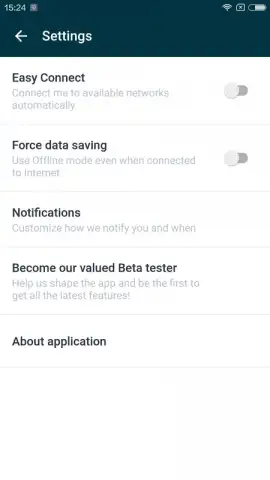
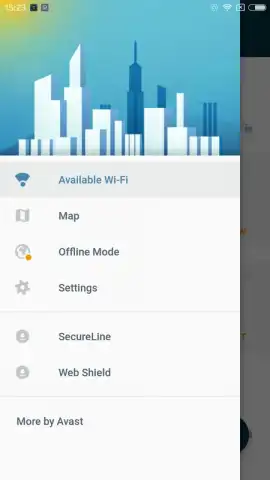
The application provides configurable automation settings that allow users to set preferences for how connections are managed. Within the settings menu, you can enable or disable an automatic connection feature, which will attempt to join a known open network when the device is in range, or opt for manual selection for every connection attempt. Notification controls are also present, permitting users to tailor alerts for new network discoveries or status changes. A notable operational aspect is the absence of display advertising within the app's interface, which differentiates it from many similar utilities that rely on ad-supported models.
Core Feature Analysis
- Interactive Global Hotspot Map: Displays a geographical overlay of verified free and open Wi-Fi access points in your immediate area and beyond.
- Detailed Network Security Profiles: Provides essential pre-connection information including network name, open or secured status, and user-submitted notes.
- Configurable Auto-Connect Functionality: Offers a toggle to enable automatic connection to trusted networks or maintain full manual control.
- User-Driven Database Contributions: Allows any user to add new networks and share passwords for secured free hotspots to benefit the community.
- Ad-Free Operational Interface: Functions without displaying third-party banner or video advertisements during standard use.
This tool is structured for collaborative use, where the value of the directory increases proportionally with the number of active contributors. It serves as a practical solution for reducing mobile data consumption and maintaining connectivity in areas with uncertain coverage.
Get your free connectivity advantage and start saving mobile data today.
Disclaimer: This application requires an active internet connection for map data retrieval and location services. It functions as a directory and does not provide internet service itself. Users are responsible for ensuring they have permission to connect to any network. Be aware of potential data usage when downloading maps. This is a community-powered tool; network information accuracy is not guaranteed. Always practice safe browsing, especially on public networks. The developer may offer in-app purchases for additional features. Please check the official listing for age ratings and specific data privacy details.


