
Baidu Translate
Baidu Translate screenshots (15)









Description Baidu Translate
Imagine you're navigating a bustling street market in a country where you don't speak the language. A vendor shows you a handwritten note with a price, a local asks for directions, and a menu board is a complete mystery. In such moments, a comprehensive translation tool becomes less of an app and more of a lifeline. Baidu Translate positions itself as that solution, a multi-modal translator leveraging AI to bridge communication gaps across text, speech, and visuals.
Core Translation Engine and User Interface
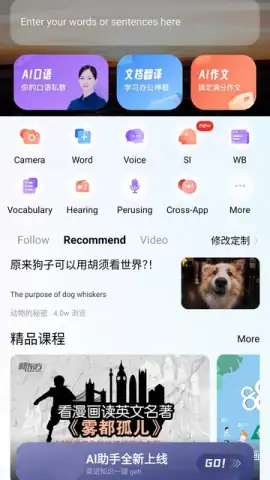
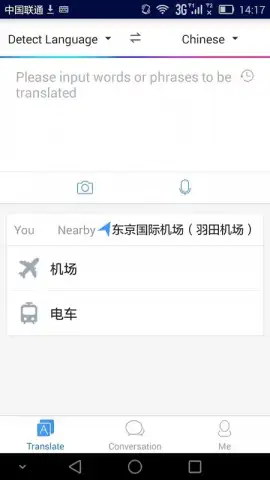
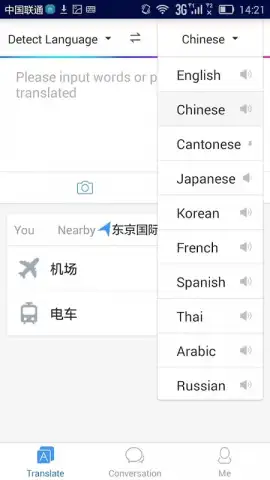
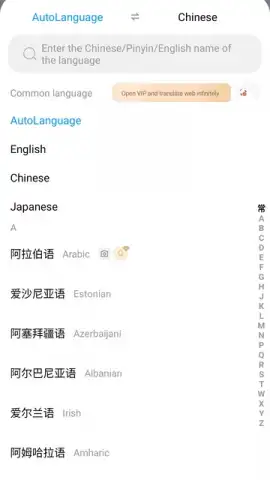
The application operates on a foundation of deep neural network technology, designed to process and translate content across more than 200 supported languages. The primary text translation interface accepts manual input, pasted content, or entire document files. Its AI-driven natural language processing aims to analyze sentence structure and context, moving beyond literal word-for-word substitution to generate more fluent and situationally appropriate results. This core functionality is structured for a wide user base, from students deciphering academic papers to professionals reviewing international documents.
Multi-Modal Input and Real-Time Processing
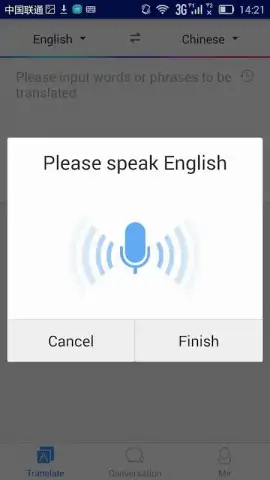
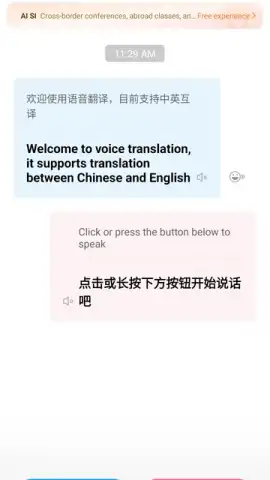
Baidu Translate distinguishes itself through its handling of diverse input methods. The voice translation mode allows users to speak a phrase into their device and receive both a text and spoken translation in the target language, facilitating real-time conversational exchange. Its image translation feature utilizes optical character recognition (OCR) to detect text within a camera viewfinder or uploaded photo, overlaying the translation directly onto the image. This is particularly practical for translating street signs, restaurant menus, or product packaging without manual typing.
Operational Features and Offline Utility
A critical operational feature is the ability to function without a persistent internet connection. Users can pre-download specific language packs directly to their device, enabling full translation capabilities for text and camera input in areas with poor or no cellular or Wi-Fi connectivity. The application also notes an absence of advertising interruptions during standard use, contributing to a focused user experience.
- Extensive Language Support: Handles translation for over 200 languages using AI-powered contextual analysis for improved accuracy.
- Voice & Conversation Mode: Enables real-time spoken translation by speaking into your device for instant two-way communication.
- Camera & Image Translation: Uses your phone's camera to instantly translate text found on objects, signs, documents, and screens.
We suggest trying Baidu Translate for its robust combination of offline utility and multiple input methods, which together provide a practical toolkit for travelers, students, and international communicators.
Download the Baidu Translate mobile app now.
Heads up: you'll need wifi for initial language pack downloads and for some real-time features. Some advanced or specialized translation modes may require additional data or access.


