
Basic docx Reader
Basic docx Reader screenshots (2)
Description Basic docx Reader
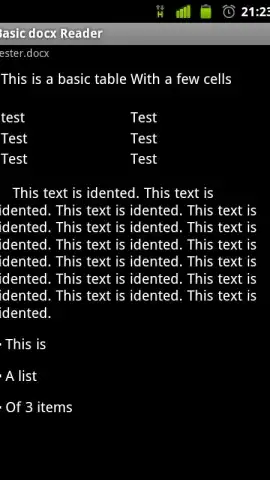
Looking for a straightforward way to open DOCX files on your mobile device without the bloat of a full office suite? The Basic docx Reader by couchDev provides a focused solution for viewing documents created in Word 2007/2010 and later formats. This utility app operates on a principle of minimalism, stripping away advanced editing and formatting tools to deliver a dedicated reading experience. Its primary function is to render text, basic tables, and lists from .docx files accessed through multiple channels.
Core Functionality and Performance
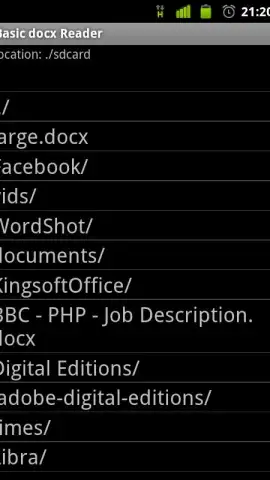
The application serves as a document viewer with a specific scope. It successfully opens standard DOCX files from local device storage, cloud services like Dropbox, direct web downloads, and email attachments. The rendering engine is designed for fundamental document elements, ensuring compatibility with most common text-based files. A defining operational characteristic is the complete absence of advertising modules, which results in an uninterrupted interface. It is important to note the application's limitations: it does not support password-protected documents, embedded images, bookmark navigation, or text search functions. Its utility is therefore centered on passive consumption of content rather than active document management or complex formatting preservation.
Practical Usage and Considerations
In practical terms, Basic docx Reader positions itself as a tool for quick reference. The installation package is notably small, minimizing its footprint on device storage. Users can expect a rapid launch time and a direct file browser. However, some system-dependent permission errors have been documented, which can occasionally interfere with opening files directly from certain sources like email clients. The application does not include editing capabilities or options to save changes, cementing its role as a viewer-only platform.
- Ad-Free Document Viewing: Experience reading without any banner or video advertisements disrupting the content.
- Multi-Source File Access: Open DOCX files from local storage, Dropbox, the web, or email attachments directly.
- Lightweight and Fast Performance: The app has a small installation size and launches quickly for immediate document access.
- Basic Formatting Support: Accurately displays standard text, simple lists, and fundamental table structures within documents.
- Focused Utility: Provides a no-frills alternative to complex office suites for reading documents only.
Get your essential document viewer and start accessing files today. Download the mobile app now.
A stable internet connection is required for accessing cloud storage and web-based files. This is a free application; no in-app purchases are currently offered.


