

Bright Weather
Bright Weather screenshots (3)
Description Bright Weather
What Does a Modern Weather App Need to Provide?
For users seeking a straightforward and visually clear weather forecast, the core requirement is immediate access to accurate, localized data without interface clutter. Bright Weather by LevelUp Studio addresses this by presenting essential meteorological information through a streamlined design. The application defaults to displaying conditions for your current location using GPS data, but its functionality extends to manual configuration for tracking multiple cities or regions. This review examines its operational mechanics and feature set.
Core Functionality and Interface Design
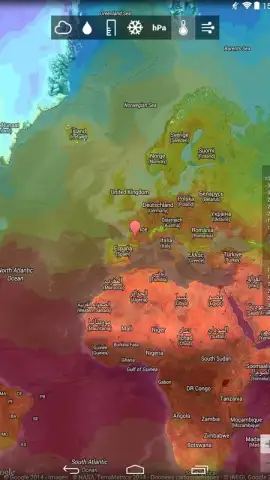
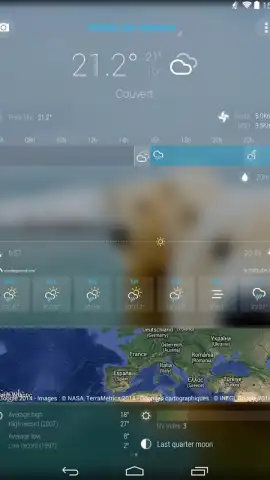
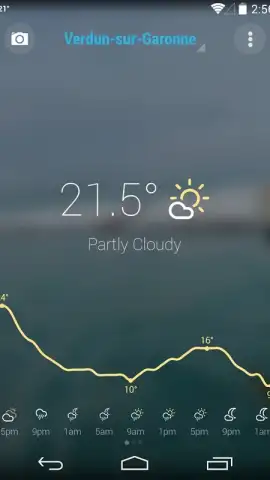
The application's primary interface is built around a single-screen dashboard that presents current temperature, perceived conditions, and a basic hourly forecast. Navigation to detailed metrics is achieved through a vertical swipe gesture, revealing expanded data layers. These layers include wind speed and directional vectors, precipitation probability percentages, atmospheric pressure readings, and extended forecasts for the coming days. A notable visual feature is the dynamic background system, which can pull in location-specific imagery that reflects the current weather state, such as a sunny skyline or overcast cityscape, enhancing situational awareness at a glance.
The operational model offers a tiered experience. The standard version displays weather data supported by advertising panels. An optional in-app purchase, labeled 'Turbo', removes all advertising banners and interstitial ads. According to the developer, this subscription may also enable potential secondary features like more frequent data updates or extended forecast ranges, positioning it as a premium enhancement to the base service.
-
- Automatically detects and displays your local weather conditions via GPS.
- Features a swipeable interface for accessing granular wind and pressure data.
- Presents dynamic background images that correspond to live weather phenomena.
- Allows for manual management and tracking of multiple saved locations worldwide.
- Offers an ad-free Turbo mode via a separate in-app purchase subscription.
The utility of Bright Weather lies in its consolidation of key atmospheric data into a quickly digestible format. Its design prioritizes legibility over decorative elements, making it a functional tool for daily planning. The option to remove advertisements addresses a common point of friction in free weather applications.
Consider downloading Bright Weather for a no-frills approach to meteorological updates on your Android device.
Download the Bright Weather mobile app now.
Disclaimer: This application requires a persistent internet connection for real-time data updates and to load location imagery. It contains optional in-app purchases for the Turbo subscription service. The app uses location services for core functionality. Data usage depends on update frequency and image loading. Please review the app's specific terms and privacy policy for details on data collection and age ratings.


