

Cal: Any.do Calendar
Cal: Any.do Calendar screenshots (5)
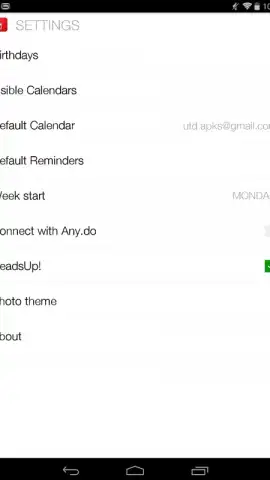
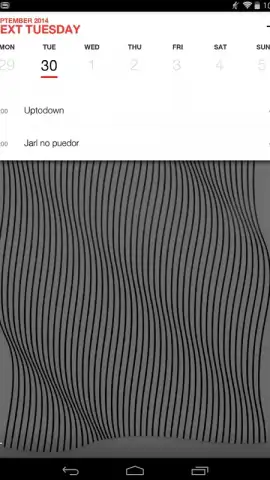
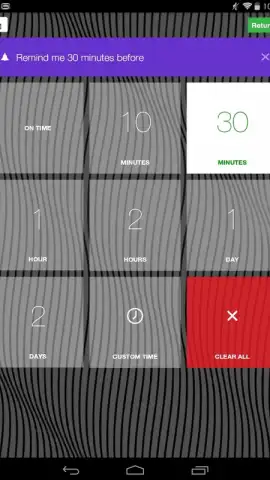


Description Cal: Any.do Calendar
Struggling to keep your schedule from spiraling into chaos?
Cal: Any.do Calendar transforms your device into a centralized command center for time, tasks, and life. It seamlessly merges a powerful calendar with intelligent task management, ensuring you never miss a deadline, meeting, or personal commitment again. Move from reactive planning to proactive control with a system designed for clarity.
Core Functionality and Integration
This application functions as a dynamic layer over your existing calendars, pulling events from Google Calendar, Outlook, and Apple iCloud into a single, unified view. Its core mechanic is the direct integration of to-dos from your Any.do lists, which appear as actionable blocks within the daily and weekly calendar timeline. You can drag and drop tasks to schedule them, set location-based reminders, and convert messages from WhatsApp or Slack into calendar events with one tap. The app provides multiple viewing modes, including a traditional day/week/month layout, a focused daily agenda, and a unique "Plan My Day" mode that suggests the optimal time to tackle your tasks based on priority and duration.
Key Technical Advantages
The interface is built for high-speed interaction and visual scanning, with color-coding for different calendar accounts and project types. Performance is optimized for quick loading and smooth scrolling, even with years of historical data. A standout feature is the natural language event input, allowing you to type "Lunch with Alex next Tuesday at 1pm at the diner" to create a fully detailed event with one entry. The widget system is highly customizable, offering at-a-glance views of your day, week, or specific task lists directly on your home screen.
- Unified calendar and task view
- Natural language event creation
- Customizable home screen widgets
Limited offer: Exclusive access for first users
Download the mobile app now and experience a completely reorganized tomorrow. This is your chance to secure a streamlined workflow before the official public rollout. Install today and transform how you plan.
Heads up: you'll need wifi for initial sync and for most cloud-based features. Some advanced widgets and integration tools are part of a premium subscription.


