

Clean Droid
Clean Droid screenshots (5)
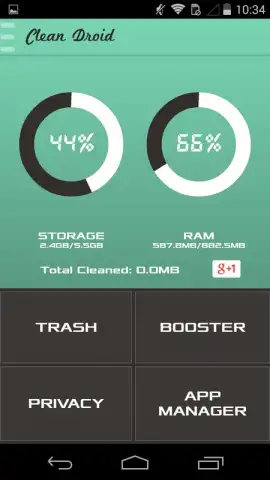
Description Clean Droid
Is your Android device feeling sluggish, cluttered with forgotten files, and in need of a comprehensive performance overhaul? Clean Droid by Wolfpack Dev presents itself as a multi-tool utility designed to address these common issues through a centralized dashboard. This review examines its four core modules—Cleaner, Booster, Privacy Manager, and App Manager—to assess their functionality and practical impact on device maintenance.
Core Functionality and Interface Analysis
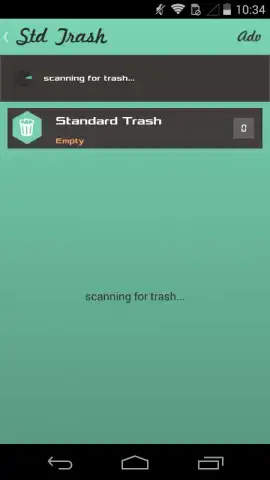
The application operates from a primary dashboard that provides an immediate diagnostic snapshot of your device. This includes real-time readouts for overall performance metrics, RAM utilization, and available storage capacity. This data serves as the control panel, allowing direct navigation to each specialized tool. The design prioritizes quick access, with the system scan and cleanup processes typically concluding within seconds, aligning with the promise of rapid optimization.
Detailed Examination of Operational Modules
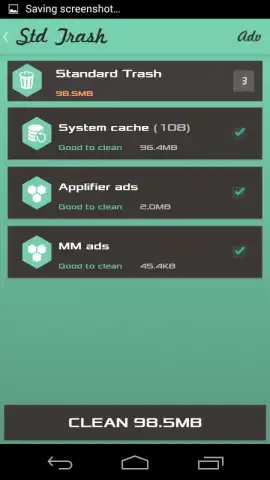
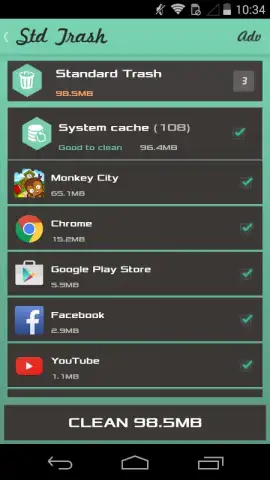
The Cleaner module performs a deep scan for redundant data, specifically targeting temporary files, residual cache from uninstalled applications, and obsolete system logs. Its removal process is selective, aiming to delete only files deemed non-essential for core system or app operation. The Booster function focuses on runtime performance by identifying and terminating background processes that consume RAM without active user benefit. This action is intended to free up resources for foreground applications, potentially improving responsiveness during multitasking or gaming.
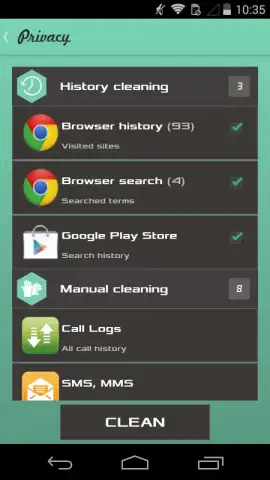
While independent of storage or speed metrics, the Privacy Manager and App Manager modules add security and organizational utility. The Privacy tool scans for and can erase digital traces, such as search histories, autofill data, and call logs within supported applications. The App Manager provides a consolidated view of all installed software, enabling batch uninstallation of unwanted programs or the creation of backups for apps containing data you wish to preserve before removal.
- Comprehensive Junk Cleaner: Scans for and removes cache, temporary files, and residual data to free up storage space.
- One-Tap Performance Booster: Terminates unnecessary background processes to instantly allocate more RAM to active applications.
- Proactive Privacy Management: Erases browsing histories, search data, and activity trails from within social and communication apps.
- Centralized Application Control: Facilitates bulk uninstallation of unwanted apps and enables backup creation for important app data.
- Real-Time System Dashboard: Monitors key device health indicators like memory usage, storage status, and performance scores.
The consistent use of Clean Droid for periodic maintenance can contribute to sustained device performance, helping to mitigate the gradual slowdown often experienced on Android devices. Its value lies in consolidating several maintenance tasks into a single, streamlined interface.
Download Clean Droid now and execute a full system cleanup—reclaim your device's speed and storage today!
Heads up: you'll need wifi for most features. Some cool stuff is extra.


