

Быстрые настройки
Быстрые настройки screenshots (5)

Description Быстрые настройки
Tired of navigating endless menus to adjust your home environment?
This utility provides immediate access to essential device and home automation controls directly from a unified dashboard. Eliminate the need to open multiple applications or dig through system settings for routine adjustments.
Core Functionality and Tools
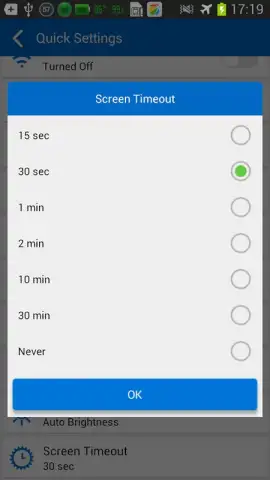
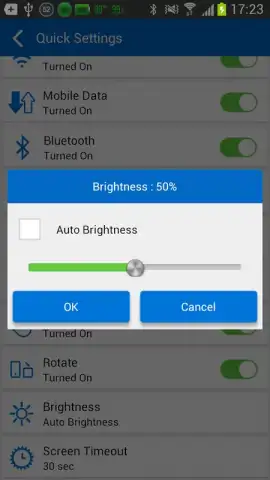
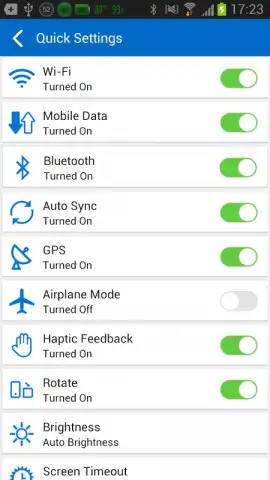
The application consolidates a wide array of toggles and sliders for system and connected device management. A primary panel offers one-tap activation for functions like Wi-Fi, Bluetooth, screen rotation, and flashlight. For home integration, the tool supports quick scene activation, such as setting lighting moods or adjusting thermostat presets, through customizable widgets and shortcuts. An advanced settings module allows for deeper system parameter adjustments, including display timeout and sound profiles, which are typically buried within native settings menus.
The interface is built around a drag-and-drop editor, enabling users to personalize their control panel with the most frequently used functions. Users can create multiple panels for different contexts, such as a "Home" panel for smart devices and a "Travel" panel for mobile data and GPS settings. All controls are accessible from a persistent notification shade tile or a dedicated home screen widget, ensuring adjustments are never more than a single swipe and tap away.
Key Operational Advantages
- Centralized Control Hub: Manage device settings and smart home features from a single, persistent interface.
- Rapid Customization: Arrange toggles and shortcuts using an intuitive visual editor with instant preview.
- Low System Footprint: Operates efficiently in the background without excessive battery or memory consumption.
-
Direct Integration: Interfaces with standard Android system functions and popular smart home protocols for broad compatibility.
-
One-tap system toggles
- Customizable widget panels
- Smart home scene control
- Deep settings shortcuts
Download this essential control panel now and streamline your daily device management!
Don't wait—transform your notification shade into a command center today!
Disclaimer: This application requires an internet connection for certain smart home features and potential in-app purchases. It may collect anonymized usage data to improve functionality. Please check your device compatibility. Some advanced features may require specific device permissions or Android versions. Use in accordance with your device's terms and conditions.


