

CyanogenMod Installer
CyanogenMod Installer screenshots (2)
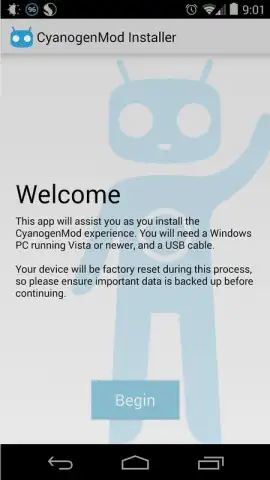
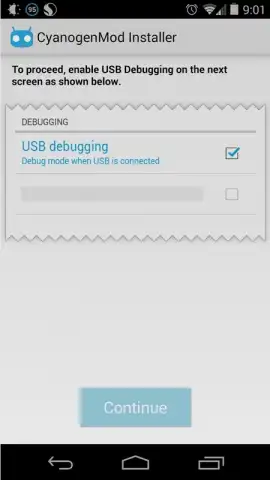
Description CyanogenMod Installer
Unlock Your Android's True Potential Without the Hassle
Tired of your Android device feeling limited by its stock software? The CyanogenMod Installer is the official, streamlined gateway to transforming your experience. This powerful tool allows you to install the renowned CyanogenMod ROM directly onto your compatible Android device—no complex rooting procedures required. It simplifies what was once an advanced technical process into a secure, guided installation, giving you immediate access to a more robust, feature-rich, and customizable operating system. By connecting your device to a Windows PC via USB, the installer handles the heavy lifting, making premium customization accessible to everyone.
This application serves as the crucial mobile component that works in tandem with its dedicated Windows companion software, available for download. The process is designed for stability and ease: you prepare your device with the app, then use the desktop program to safely flash the new ROM. The result is a device running CyanogenMod, which is celebrated for integrating a vast array of additional functionalities and system-level enhancements not found in standard Google software. These modifications are engineered to optimize system performance, improve overall reliability, and extend battery life through more efficient background process management.
Core Features and Technical Advantages
- Official One-Click Installation: Utilize the official CyanogenMod tool for a safe, guided installation process that eliminates the risks and complexity of manual ROM flashing.
- Root-Free Operation: Gain the benefits of a custom ROM without the need to root your Android device, preserving the integrity of your system partition.
- Performance & Reliability Engine: Experience theoretical enhancements in device speed, stability, and thermal management compared to many official firmware builds.
- Advanced Hardware Support: Unlock support for modern standards like Bluetooth Low Energy (BLE) for efficient peripherals and OpenGL ES 3.0 for improved graphics rendering.
-
Expanded Feature Suite: Access a deep catalog of customizations, privacy tools, interface tweaks, and system settings that go far beyond stock Android capabilities.
-
Streamlined PC-Based Process: Ensures a stable and complete installation by leveraging the processing power and reliable connection of a Windows computer via USB.
- Ad-Free Experience: Enjoy a clean, uninterrupted setup process and operating environment with no embedded advertising.
- Turbo-Charged Foundation: The CyanogenMod ROM is built for efficiency, often providing a snappier, more responsive user interface and better memory management.
This app is the essential first step for anyone who wants to revitalize their Android device with CyanogenMod's powerful alternative firmware, bypassing technical barriers and complicated procedures.
Transform your phone today! Download the CyanogenMod Installer app now and begin your upgrade journey immediately!
Disclaimer: This application requires a stable internet connection for initial download and a Windows PC with the companion installer for the full installation process. The CyanogenMod ROM replaces your device's default operating system; backing up all personal data before proceeding is critical. This process may void your device's warranty and carries an inherent risk of malfunction if not followed correctly. Compatibility is not universal; check official CyanogenMod device listings beforehand. User discretion is advised.


