

Date Widget
Date Widget screenshots (5)
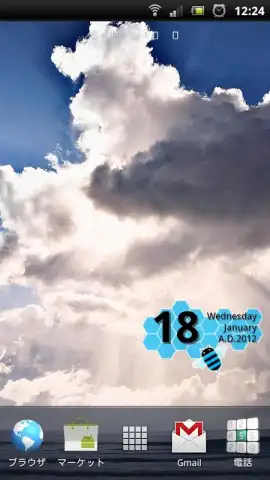
Description Date Widget
Ever feel like your home screen is just a grid of icons, missing that personal touch that makes your phone truly yours? What if you could add a sleek, informative, and beautifully customizable date display that blends perfectly with your wallpaper?
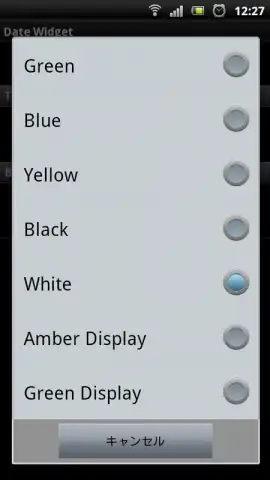
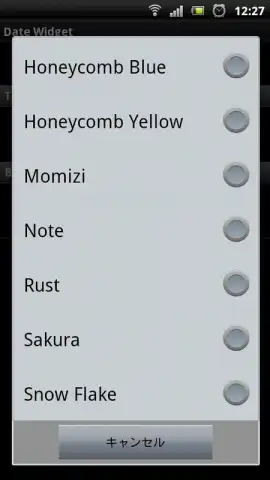
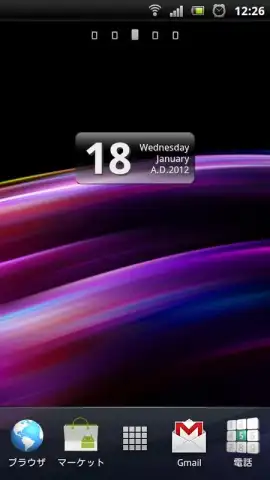
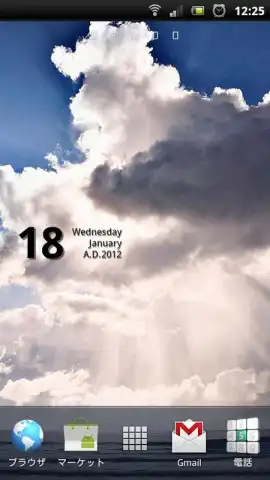
Date Widget transforms your Android's main screen from functional to fabulous. This isn't just another static clock; it's a dynamic, fully personalized piece of functional art. You get to decide exactly how your date is presented, choosing from a vast array of fonts, text colors, and display formats. The magic happens when you pair it with your own background image, creating a seamless, harmonious look that feels built-in, not bolted on. It’s the detail that ties your entire aesthetic together, giving you a glanceable piece of information that’s both useful and visually stunning.
The experience is designed for effortless control. A simple tap on the widget itself opens up a world of settings or launches directly into your calendar app for quick scheduling. The developers have poured attention into the finest details, letting you fine-tune elements like shadow color, transparency levels, and background image opacity. This ensures the widget doesn’t just sit on your screen but integrates with it, casting the right amount of depth and blending naturally for a polished finish. Continuous updates rigorously refine the experience, smoothing out any display quirks even on high-resolution devices and ensuring every symbol renders perfectly from the first moment you use it.
Why Your Home Screen Needs This Widget
- Total Visual Harmony: Customize text color, font, format, and background to create a widget that disappears into your wallpaper for a perfectly cohesive look.
- One-Tap Productivity: Integrates with your Android calendar for instant access to your schedule—just tap the widget to view or edit upcoming events.
- Pixel-Perfect Precision: Enjoy a flawless display with tuned shadow effects, transparency controls, and optimizations for high-resolution screens.
Don't settle for a generic, cluttered home screen. Transform it into a personalized command center that reflects your style and streamlines your day. Download Date Widget now for exclusive early access to all premium customization features—this special launch offer won't last forever!
Disclaimer: This application requires an internet connection for initial download and updates. The app integrates with your device's existing calendar application; full calendar functionality is dependent on this. Some advanced personalization options may be available via in-app purchases. Please be aware of data usage when downloading assets. This product is not intended for young children.


