

Device Utility
Device Utility screenshots (4)
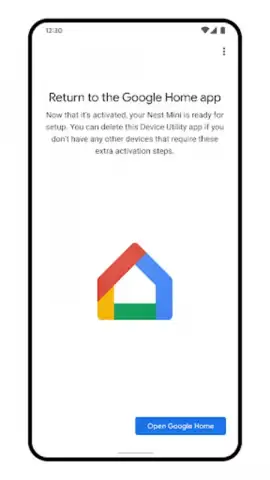
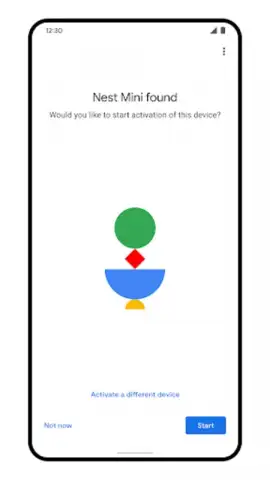
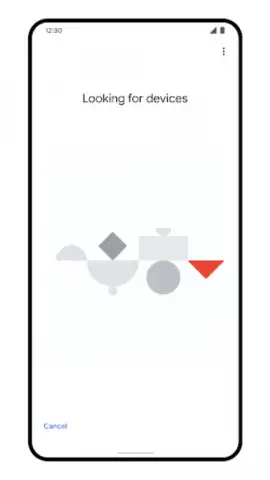
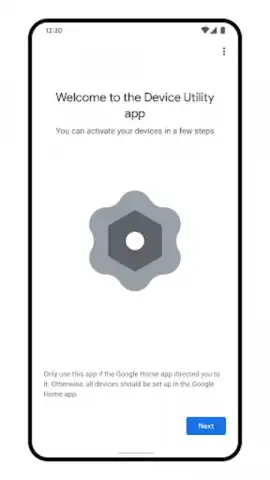
Description Device Utility
Imagine you’ve just unboxed a shiny new smart device—a Nest thermostat, a Google speaker, or a compatible smart light. The excitement is there, but so is that tiny flicker of dread about the setup process. Will it connect easily? Will you need to dig through confusing menus? That moment is exactly where Device Utility steps in, transforming potential frustration into a smooth, almost effortless experience. This dedicated tool from Google is your personal setup assistant, designed for one primary mission: to seamlessly weave your new Google, Nest, and partner devices directly into the heart of your Google Home ecosystem. Think of it as the friendly guide that hands you the right tools at the right time, ensuring your smart home expands without a single technical hiccup.
Your Effortless Smart Home Integration Partner
The magic of Device Utility lies in its focused simplicity. It doesn’t clutter your phone with permanent controls; instead, it specializes in the initial, most critical phase of ownership. The app provides an intuitive, step-by-step walkthrough that feels less like a technical manual and more like a conversation. You’re guided visually and clearly through each connection step, from powering on your new gadget to having it respond to your voice in the Google Home app. This eliminates guesswork and saves you from the all-too-common ritual of searching forums for setup answers. Once your device is happily communicating with your Google Home, the app’s primary job is wonderfully complete. This intentional design means you can confidently uninstall it, keeping your device clean and organized, free from single-use apps that linger and take up space. It’s the epitome of smart utility—there when you absolutely need it, and discreetly absent when you don’t.
But its role isn’t strictly limited to that first connection. Device Utility also serves as a handy troubleshooter. As you grow your collection of smart devices, occasional glitches can happen. Perhaps a device drops offline or isn’t responding as expected. Instead of resetting everything, you can turn back to this utility for targeted help. It can help diagnose connection issues, offering solutions to get your ecosystem back in perfect harmony, making it a valuable tool not just for setup but for ongoing maintenance and peace of mind.
Core Features at a Glance
- Seamless Google & Nest device integration
- Step-by-step visual setup guidance
- Post-setup troubleshooting assistant
- Uninstall after use for a clean device
You end up with a perfectly organized, efficient smart home network, managed centrally through the powerful Google Home app, without any residual, unnecessary software on your phone. It’s a minimalist’s dream for tech enthusiasts. For anyone committed to building a reliable and expansive smart home, Device Utility is that essential, behind-the-scenes champion that makes the future of connected living feel simple, stable, and truly intelligent.
We highly recommend downloading Device Utility before your next smart device purchase. Turn the setup chore into a brief, satisfying step and step confidently into a more connected home.
Download the Device Utility mobile app now.
Disclaimer: This app requires an internet connection for device setup and troubleshooting. It is designed to work with Google Home and compatible partner devices. The app may direct you to other Google services. Data usage applies. Please check your device compatibility and relevant age restrictions on the official Google Play Store listing.
 GooglePlay


