

DiskDigger
DiskDigger screenshots (10)




Description DiskDigger
Can a Deleted Photo Ever Be Truly Gone from Your Android Device?
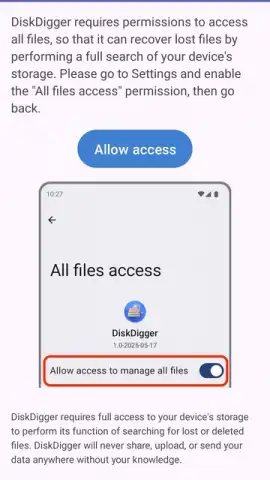
The immediate panic of accidentally deleting an important photo or document is a universal digital experience. While Android's native recycle bin offers a temporary safety net, it is not infallible, and files can slip into seeming oblivion. DiskDigger for Android addresses this specific vulnerability directly. It functions as a focused data recovery utility designed to scan the internal storage and external SD card of a standard, non-rooted Android device. The core proposition is technical yet accessible: it attempts to locate and reconstruct file signatures from storage sectors marked as empty, offering a tangible chance at recovery where most users would assume none exists. This process does not require elevated root permissions for its basic operation, making it a practical first-response tool for a broad audience.
Operational Mechanics and Tiered Functionality
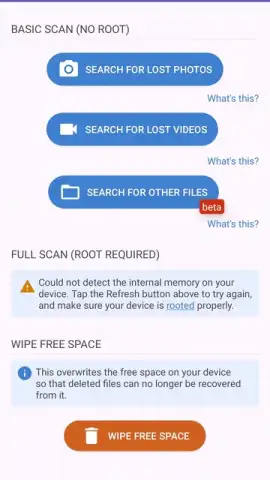
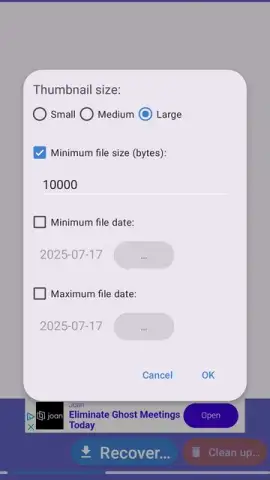
The application's interface is deliberately streamlined, centering on a scan-initiate workflow. You select a storage location—be it the main device memory or a removable card—and the software begins a deep scan. The duration is proportional to the storage capacity and fragmentation of data. A critical technical point is that recovery success is heavily influenced by device activity post-deletion; new data being written can overwrite the old, making immediate use of the tool advisable. The free version serves as a functional but limited proof-of-concept, primarily targeting the recovery of JPG and PNG image formats from accessible directories. This makes it suitable for retrieving recently lost photos from cache and thumbnail data.
The upgrade to DiskDigger Pro unlocks a significantly more powerful forensic-level scan. This paid tier expands the recognizable file signatures to include video formats like MP4 and MOV, audio files, PDF and Office documents, RAW camera images, and even application files like APK and ZIP archives. Furthermore, while root access is not mandatory, its absence defines a boundary. Without root, the app cannot perform a full binary scan of all storage partitions, meaning older or deeply buried files may remain undetected. The Pro version, especially on a rooted device, can perform a comprehensive sector-by-sector analysis, maximizing the potential for recovery.
Key Technical and Practical Features
- Performs non-root recovery scans of internal memory and SD cards for recently deleted content.
- Offers a streamlined, single-purpose interface focused on selecting storage and starting scans.
- Free version supports core image formats, specifically JPG and PNG file recovery.
- Pro upgrade enables deep recovery of videos, documents, RAW files, and archives.
- Scan depth and file access are expanded on devices with root permissions enabled.
For anyone facing data loss without a backup, this tool represents a calculated and immediate course of action. Consider downloading DiskDigger from the official app store to assess its capability on your device.
Download the DiskDigger mobile app now.
Internet required. IAP available.
 GooglePlay


