

Dolphin Browser HD
Dolphin Browser HD screenshots (8)
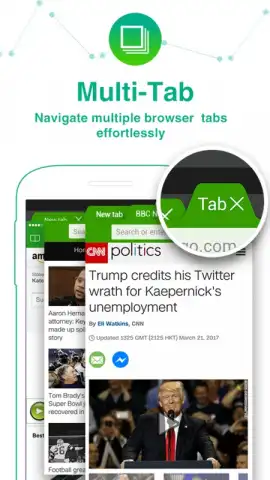



Description Dolphin Browser HD
Navigating the Android Web: A Look at Dolphin Browser HD
Finding a truly capable and responsive web browser for Android can be a challenge, with many default or popular options feeling either bloated or overly simplistic. Dolphin Browser HD, version 12.4.2 from the developer Dolphin Browser, presents itself as a comprehensive toolset designed for users who want more control and efficiency from their mobile surfing experience. It moves beyond basic page rendering to integrate advanced navigation mechanics and deep customization, positioning itself as a serious utility for power users and casual browsers alike who seek to streamline their interaction with the web.
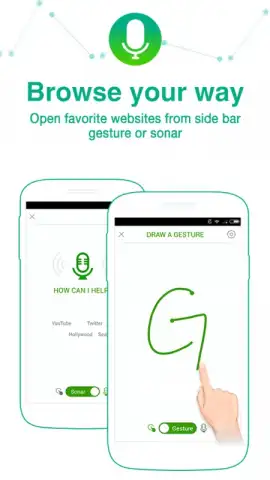
The application’s architecture is built around several core features that differentiate it from stock browsers. The standout 'Sonar' voice command system functions not merely as a voice search tool, but as a holistic control interface. Users can execute complex commands hands-free, such as navigating to specific sites, posting updates to social networks, or bookmarking a page, all through natural speech. This transforms passive browsing into an interactive, efficient process. Furthermore, the browser’s unique gesture control system allows for the creation of custom finger-drawn symbols on the screen, which can be mapped to specific actions or URLs. For instance, drawing a simple 'U' could be programmed to instantly launch a frequently visited site, effectively creating a personalized shortcut language that bypasses menus and typing.
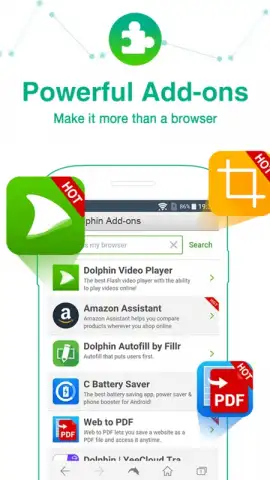
Beyond these innovative input methods, Dolphin Browser HD supports a robust ecosystem of over sixty third-party add-ons. These extensions function similarly to desktop browser plugins, enabling users to tailor functionality precisely to their needs, whether for ad-blocking, password management, or enhanced tab management. It is also important to note the inclusion of a Turbo mode, which is engineered to accelerate page loading times by compressing data, while simultaneously operating with a clean, ad-free user interface by default. This combination of speed and an unobstructed view is a significant quality-of-life improvement for daily use.
- Voice-Controlled Navigation: Utilize the Sonar feature for hands-free web searches, social media management, and bookmarking.
- Fully Customizable Gesture Controls: Program unique finger-drawn gestures to instantly open favorite websites or execute commands.
- Extensive Add-On Library: Enhance core functionality with a vast selection of over sixty compatible browser extensions and plugins.
- Accelerated Turbo Browsing Mode: Experience faster page loads and an optimized data flow with the integrated Turbo feature.
- Ad-Free Core Browsing Experience: Enjoy a clean, distraction-free interface without intrusive advertisements during your sessions.
We suggest trying Dolphin Browser HD if your current mobile web experience feels limited or cluttered. Its layered approach to navigation—combining voice, touch, and extensibility—offers a tangible upgrade in how you interact with content on your Android device.
Heads up: you'll need wifi for most features. Some cool stuff is extra.
 GooglePlay


