

DotDash Keyboard
DotDash Keyboard screenshots (1)
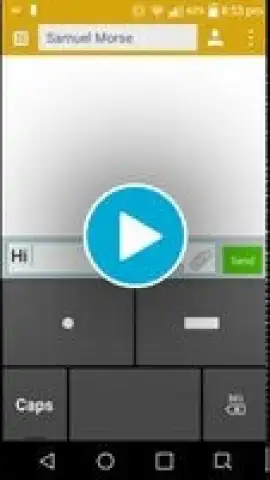
Description DotDash Keyboard
Struggling with Typing on Smaller or Slower Android Devices?
The DotDash Keyboard offers a fundamentally different text input solution designed for efficiency on devices with compact screens or less powerful processors. This innovative on-screen keyboard replaces your standard Android input method with a system based on Morse code, ensuring broad compatibility and a streamlined typing experience. It functions as a seamless system keyboard alternative, utilizing the simplicity of Morse patterns to enable precise text entry without relying on traditional QWERTY layouts or demanding system resources.
Core Functionality and Input Mechanics
The interface is built around three primary keys: dot, dash, and space. Supplemental Shift and Delete keys provide essential text correction functions. The input logic is methodical and designed for sequential accuracy. To type a letter, you enter its specific combination of dots and dashes. Each letter is then confirmed with a single tap of the space key. A double-tap on the space bar inserts a space between words. The Delete key removes the current letter in progress or erases the last confirmed character. For navigation, the sequence ".-.-" serves as an alternative to the Enter key. A quick swipe upward from the keyboard area reveals a built-in Morse code reference chart for immediate lookup.
Installation and System Integration
Post-installation, the keyboard requires activation through your device's Language & Input settings, as it does not appear as a standard application. Once enabled, you can swiftly switch between the DotDash Morse system and your default keyboard using the "Choose input method" option in your notification shade. The current design prioritizes continuous input accuracy over timing-based mechanisms, making it reliable regardless of your device's processing speed. While features like audio feedback or ham-radio enthusiast modes are not presently included, the focus remains on a clean, ad-free typing experience with Turbo-enhanced performance.
Detailed Feature Set and Customization
- Three-key Morse input system for compact efficiency.
- Integrated reference guide accessible via swipe gesture.
- Ad-free, Turbo-optimized performance for smooth operation.
- Full punctuation support with dedicated Morse groups.
Punctuation is handled through designated Morse code groups, with full details available on the project's Github page. The platform supports user contribution, allowing for bug reports and feedback to guide continuous development and improvement.
Get Exclusive Early Access to Streamlined Typing
This practical and effective keyboard transforms digital communication by leveraging the reliability of Morse code. For users seeking a lightweight, alternative input method that performs consistently across all device types, the DotDash Keyboard provides a unique solution. Limited offer: Download the DotDash Keyboard app today and be among the first to experience this innovative typing method.
Disclaimer: This application requires an internet connection for initial download and potential updates. It may offer in-app purchases for additional features or enhancements. Use as directed within your device's input settings.


