

Download Manager
Download Manager screenshots (8)
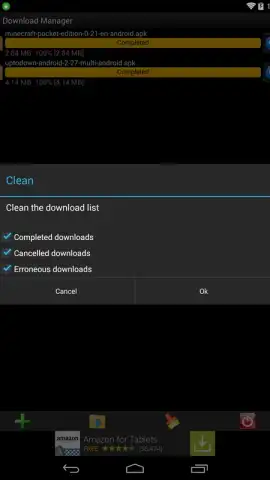
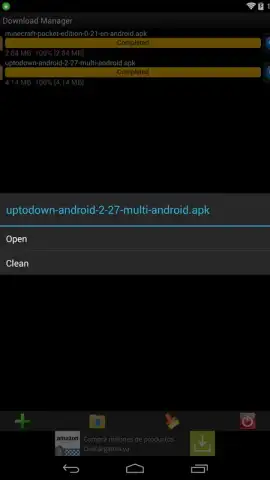
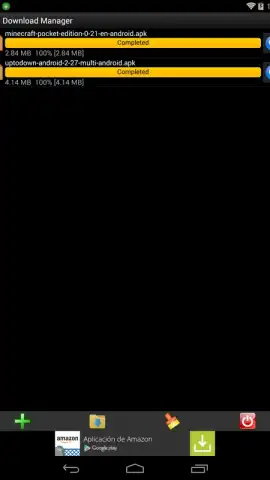
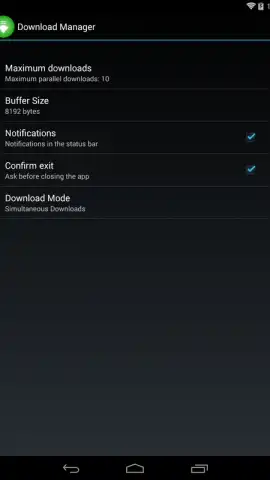

Description Download Manager
Imagine you’ve found the perfect file online, but your browser’s download process feels hidden and uncontrollable. Download Manager by MobilDev surfaces this process, giving you direct oversight and control over every file you save to your Android device. This utility integrates directly with your system to provide a clear, dedicated interface for managing downloads initiated from your web browser.
Core Functionality and Operational Scope
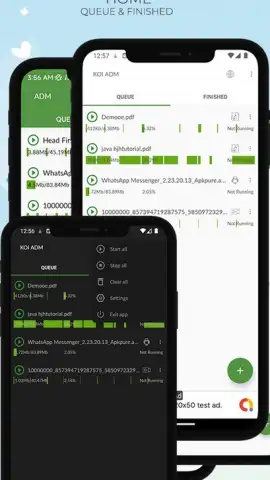
The application activates automatically when a download begins in your standard Android web browser. It provides a persistent notification and a dedicated management screen where you can monitor real-time progress for each file. The utility supports concurrent downloads, allowing multiple files to queue and download simultaneously. A key operational note is that it cannot bypass standard browser restrictions; it manages downloads that are already available through your browser's native download capability. This means it will not download streaming content from platforms like YouTube if that content is not offered as a direct file by the site. For all other standard downloads—including documents, images, APK files, and archives—it centralizes control.
Detailed Feature Overview
The interface is designed for utility, focusing on providing clear status updates and direct manipulation of active downloads. You are not limited to simply watching a progress bar; you have active control over the download process itself.
- Monitor real-time download progress with speed indicators and estimated time remaining for each file.
- Pause, resume, or cancel any active download at any point without losing progress on supported connections.
- Manage a queue of multiple simultaneous downloads from your browser, organizing them in one list.
- Access and organize completed files directly from the app’s interface for quick retrieval.
- Operates with a streamlined, ad-free experience to focus purely on download management tasks.
This tool is for users who frequently download files and want a more robust, transparent, and controllable system than the basic browser download tray provides. It adds a layer of management without altering the fundamental way your device accesses the web.
We suggest trying Download Manager if you regularly save various files from the web and desire clearer oversight and control. Consider downloading it to streamline your Android file acquisition process.
Download the Download Manager mobile app now.
Disclaimer: This application requires an active internet connection to manage downloads. It functions as a management layer for your browser's download capabilities and does not independently download content from the internet. The developer, MobilDev, confirms the app contains no advertisements. Please be aware that your standard mobile data or Wi-Fi usage charges apply for all downloads. The app may require storage permissions to save and access downloaded files. It is intended for general audiences.


