

Dr.Fone (Old)
Dr.Fone (Old) screenshots (8)
Description Dr.Fone (Old)
Ever Accidentally Deleted a Precious Memory?
That sinking feeling when a favorite photo, an important video, or even a crucial contact vanishes with one wrong tap. It happens to everyone. You might think those moments are gone forever, lost in the digital void of your Android device. But what if you had a safety net, a powerful tool designed specifically to bring your lost data back from the brink? That’s the promise of Dr.Fone, a specialized recovery app that acts like a digital archaeologist for your smartphone.
Your Personal Data Recovery Toolkit
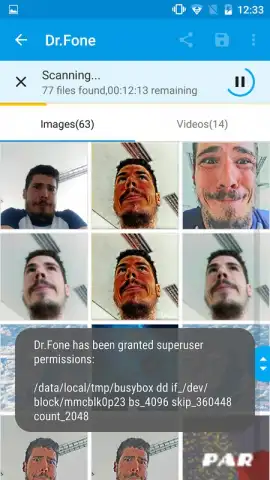
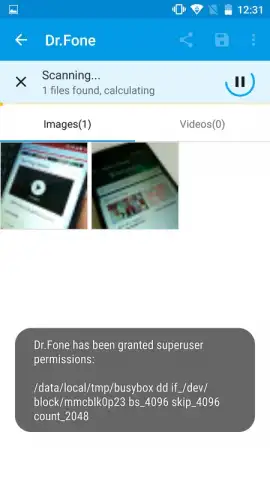
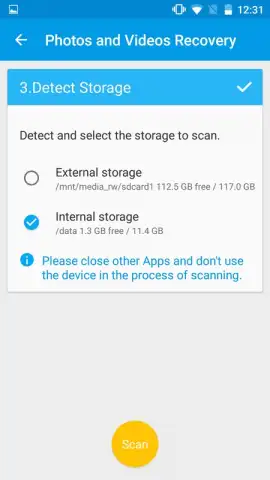
Dr.Fone for Android brings the robust recovery power known from its desktop counterpart right into the palm of your hand. This isn't just about photos; it's about reclaiming pieces of your digital life you thought were erased. The app performs a deep, thorough scan of your device's storage, meticulously searching for traces of deleted files. While the process requires a bit of patience—a comprehensive scan can take several minutes—it’s because the app is working hard to leave no stone unturned.
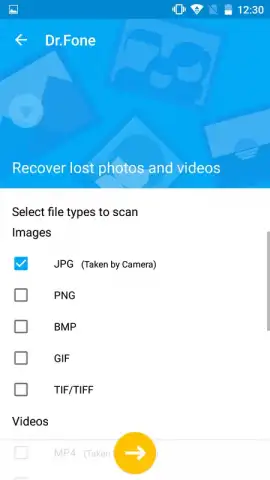
You gain precise control over the recovery. Before starting, you can filter the scan by specific file formats. This means you can tell the app to look only for JPEG photos, or MP4 videos, or even isolate all your lost PNG screenshots. This smart filtering saves you time and helps you target exactly what you need. Once the scan is complete, you’re presented with a clear gallery of everything Dr.Fone has found—a visual catalog of your recoverable memories and information, waiting for a second chance.
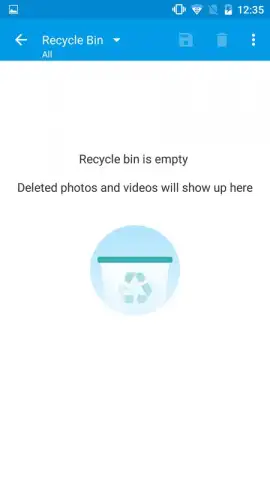
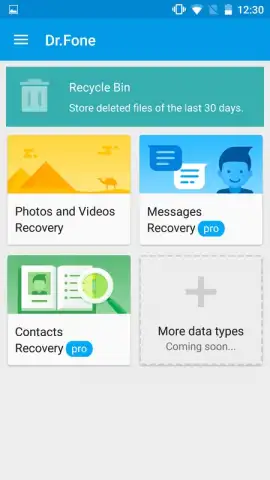
The true power, however, is unlocked with the PRO version. This upgrade transforms the app from a viewer into a full restoration suite. With PRO, you can recover not just photos and videos, but also deleted contacts and text messages—vital pieces of personal and professional data. The promise of a one-tap restoration for all your found multimedia becomes a reality, turning anxiety into relief instantly.
- Deep Multimedia Recovery: Recovers accidentally deleted photos and videos by performing an intensive scan of your Android's internal storage.
- Advanced File Filtering: Specify exact file formats (like JPG, PNG, MP4) before scanning to target your search and save valuable time.
- Extended Data Restoration (PRO): Unlock the ability to restore deleted contacts and text messages, covering all critical personal data loss scenarios.
- Ad-Free Turbo Experience: Enjoy a streamlined, uninterrupted recovery process without distracting advertisements slowing you down.
- Intuitive Results Gallery: Browse all recoverable files in a clean, visual interface after the scan, making selection simple and straightforward.
- One-Tap Bulk Recovery (PRO): Restore your entire collection of found photos and videos with a single action, no need to select items individually.
While no recovery tool can guarantee a 100% success rate due to how devices overwrite data, Dr.Fone provides a powerful and legitimate attempt to salvage what’s lost. It’s a dedicated solution that turns "what if" into "here it is," putting you back in control of your digital content.
Reclaim Your Lost Photos and Data Now
Don't live with regret over deleted memories or important information. Take action and give yourself the best possible chance to get everything back. Download Dr.Fone today and turn that feeling of loss into a story of recovery.
Download the Dr.Fone mobile app now and start your scan!
Disclaimer: This application requires an internet connection for certain functions and to verify PRO licensing. The free version offers scanning and preview capabilities; full recovery of files, contacts, and messages requires an in-app purchase to upgrade to the PRO version. The app is intended for personal data recovery from your own devices. Success of recovery is not guaranteed and depends on multiple factors, including the device's condition and data overwriting. Data handling is subject to the developer's privacy policy. Please ensure your use complies with applicable laws and regulations.


