

DS download
DS download screenshots (4)
Description DS download
What is the most efficient way to manage downloads for your Synology DiskStation?
For users of Synology DiskStation network-attached storage (NAS) devices, managing download tasks directly from a mobile device presents a significant workflow advantage. The DS download mobile application serves as a dedicated remote management client, transforming a smartphone or tablet into a control panel for all download activities on the NAS. This review examines its operational mechanics, interface design, and integration capabilities with the DiskStation ecosystem. The application eliminates the need to access the DiskStation Manager (DSM) web interface for basic download oversight, providing a streamlined alternative for monitoring and task initiation.
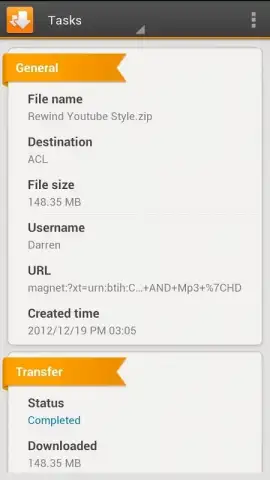
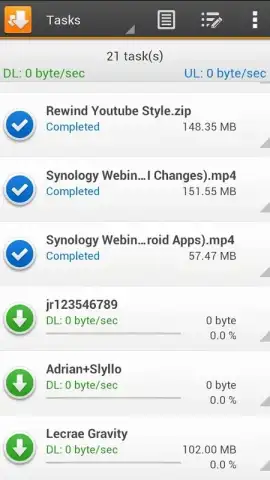
The core functionality centers on comprehensive download task management. Users can initiate, pause, prioritize, and remove downloads directly from the application interface. It supports the creation of new download tasks via several methods, including direct URL input and the addition of torrent files. A built-in search utility allows for discovering torrent files using keywords, which can then be queued directly into the download list. The application provides detailed real-time statistics for each task, such as download speed, progress percentage, data volume, and estimated time remaining.
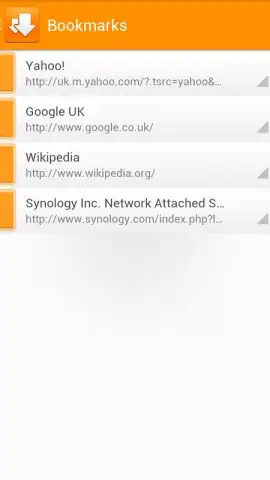
Configuration and organizational tools are integral components. Users can adjust critical download parameters, including setting maximum upload and download speed limits to manage network bandwidth consumption effectively. The application supports the creation of bookmarks for frequently accessed download sources or directories. All aspects of the connected DiskStation relevant to downloading are accessible for management, ensuring the NAS operates according to predefined user parameters without requiring physical interaction with the device itself.
- Remote Download Management: Monitor, queue, and control all download tasks on your Synology NAS from your mobile device.
- Integrated Torrent Search & Addition: Utilize the built-in search to find torrents by keyword and add them directly to your download list.
- Granular Speed & Task Configuration: Adjust bandwidth limits and manage detailed parameters for each download task.
The absence of advertising within the application interface contributes to a focused user experience. For users with compatible DiskStation models, enabling Turbo mode can unlock accelerated download performance, leveraging Synology's hardware optimization. The interface is designed for clarity, presenting complex download queue information in a structured, navigable layout that balances immediate control with deeper settings access.
Start managing your NAS downloads remotely and unlock faster transfer speeds today. Download the mobile app now.
Internet required. IAP available.
 GooglePlay


