

Dulux Visualizer IN
Dulux Visualizer IN screenshots (5)
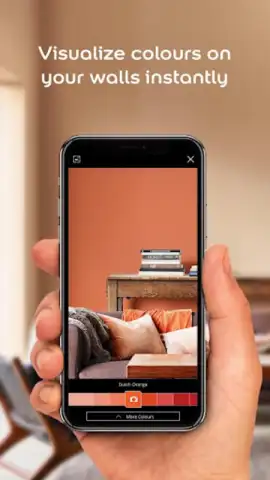
Description Dulux Visualizer IN
Transform Your Home with Precision: A Technical Review of the Dulux Visualizer IN App
The process of selecting paint colors has fundamentally shifted from guesswork and sample pots to a precise, data-driven digital experience. The Dulux Visualizer IN app, developed by AkzoNobel, represents this evolution, functioning less as a simple catalog and more as a professional-grade simulation tool for interior design. It systematically removes the uncertainty from home decoration by leveraging augmented reality (AR) and a comprehensive color database, allowing for meticulous pre-purchase visualization. This review examines the mechanics of its core functionalities to assess its practical value for homeowners and DIY enthusiasts seeking a reliable planning aid.
At its core, the application utilizes advanced augmented reality technology to project paint colors onto your physical space in real time. The primary function involves pointing your device’s camera at a wall; the software then processes the surface and overlays your selected shade with startling accuracy, accounting for ambient light and shadows to provide a realistic preview. This live color adaptation feature is the app's most significant technical achievement, enabling users to cycle through dozens of hues instantly without any physical mess. For devices lacking advanced motion sensors or for planning in advance, the Photo Visualizer mode serves as a robust alternative. This tool allows you to upload a static image of any room and digitally apply colors to specific walls, offering a controlled environment for detailed comparison and scheme development.
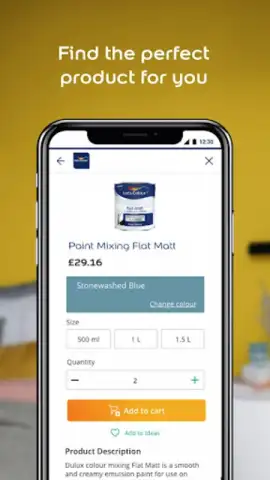
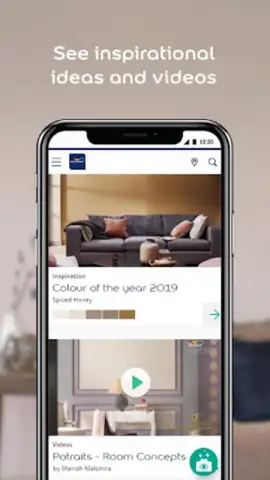
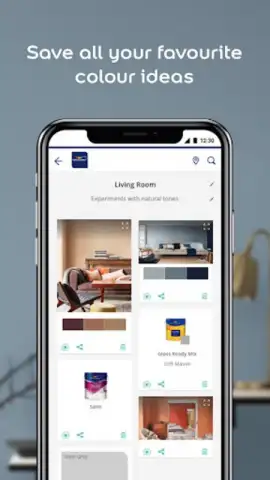
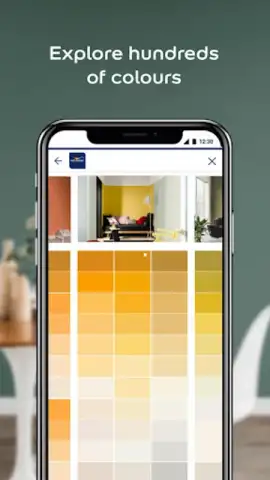
Beyond visualization, the app operates as a centralized hub for the Dulux product ecosystem. It provides direct access to the entire Dulux color library and corresponding paint products, enabling seamless transition from inspiration to purchase. Each visualized color is linked to its specific product code and finish, ensuring perfect matching. A particularly innovative tool is the color capture feature, which uses your device’s camera to sample a color from any object in the real world—a fabric swatch, a piece of art, or a natural element—and matches it to the nearest Dulux shade. This bridges the gap between inspiration found in the wild and executable home design. Furthermore, the app facilitates collaborative decision-making through its sharing functions, allowing users to export and send high-quality images of their visualizations to family, contractors, or friends for feedback, effectively crowdsourcing the design process.
- Real-Time AR Visualization: Project and view any Dulux color onto your actual walls through your smartphone camera with dynamic lighting adjustment.
- Photo Mode & Color Capture: Apply colors to uploaded room photos or instantly match a shade from any physical object using the camera's color sensor.
- Integrated Product Library: Access the full Dulux paint range with technical details, product codes, and finish information linked directly to your visualizations.
Do not waste another moment on uncertainty and costly sampling mistakes. This tool provides the definitive solution for pre-purchase color testing. Download the Dulux Visualizer IN mobile app now and execute your design vision with absolute confidence from the very first step.
Disclaimer: This application requires an internet connection for full functionality, including access to the color library and AR features. Some tools or premium color collections may involve in-app purchases. The app uses your device’s camera and storage for photo visualization and color capture. Data usage may apply. Please refer to the developer's official privacy policy for details on data handling. This app is intended for general use; however, final color results may vary based on screen calibration, lighting conditions, and surface preparation.
 GooglePlay


