

Fast Cleaner - Speed Booster & Cleaner
Fast Cleaner - Speed Booster & Cleaner screenshots (7)


Description Fast Cleaner - Speed Booster & Cleaner
A Practical Look at System Maintenance Tools
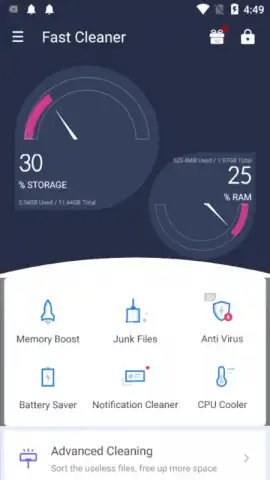
In the routine of managing a smartphone, the gradual accumulation of temporary files and background processes is an inevitable technical reality. These digital remnants can occupy valuable storage and subtly impact system responsiveness over time. Fast Cleaner - Speed Booster & Cleaner presents itself as a consolidated toolkit designed to address these common performance concerns through a series of automated and manual utilities. Its interface organizes maintenance tasks into distinct operational categories, aiming to streamline what is typically a fragmented process across system settings.
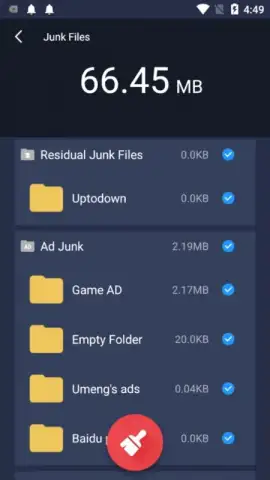
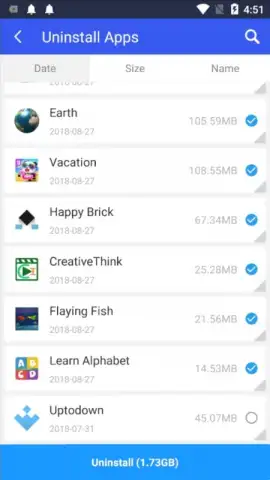
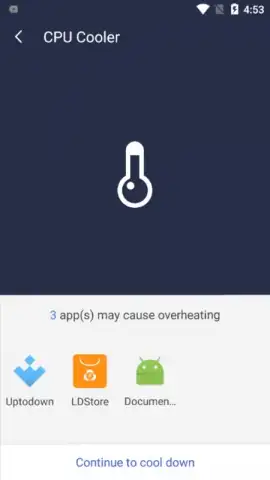
The application initiates with a comprehensive device scan, analyzing storage allocation and identifying cache files, residual APKs, and other non-essential data. Following this audit, a one-tap cleaning function is provided to remove the flagged items. Beyond basic cleanup, the tool includes a storage analyzer that visually breaks down space usage by file type and application, allowing for more granular management decisions. A separate module monitors CPU temperature and identifies applications contributing to excessive thermal load, suggesting their closure to prevent potential throttling. For users seeking broader system management, it incorporates a batch uninstaller for removing multiple applications simultaneously and maintains a dedicated game optimization mode intended to allocate resources for a smoother gaming session by temporarily limiting background activity.
Core Functional Modules
- Storage Analysis & One-Tap Cleaner: Executes a full system scan to identify junk files, app cache, and installation residuals, enabling bulk removal with a single command.
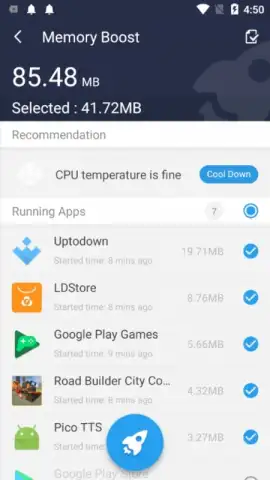
- CPU Temperature Monitor & Manager: Tracks processor thermal levels in real-time and highlights specific apps causing excessive heat, allowing for proactive management.
- Game Optimization Mode: Allocates system resources by prioritizing active gameplay and restricting background processes to minimize frame rate drops and lag.
We suggest trying Fast Cleaner - Speed Booster & Cleaner if you seek a centralized utility for routine device maintenance and performance monitoring. Consider downloading the application to access its diagnostic and optimization tools.
*This application requires an internet connection for full functionality and may offer in-app purchases.



