

FFH4X Fire - Game Booster gfx
FFH4X Fire - Game Booster gfx screenshots (3)


Description FFH4X Fire - Game Booster gfx
Your phone heats up, the frame rate stutters, and your high-score run ends prematurely. This common mobile gaming frustration doesn't have to be your reality. FFH4X Fire - Game Booster gfx is engineered to intervene, transforming your device into a stabilized platform capable of delivering smoother, cooler, and more visually optimized gameplay across your entire library.
Core Functionality & System Tools
This application operates as a dedicated performance layer between your device hardware and the games you run. It employs a suite of system-level optimizations that manage background processes, allocate CPU and GPU resources more efficiently to the foreground game, and adjust thermal thresholds. The primary interface provides real-time monitoring of key metrics such as current FPS, device temperature, and RAM usage, giving you transparent insight into your device's performance state. You can activate one-click optimization profiles tailored for different game genres or create custom profiles with specific parameters for resolution, touch response, and background task limitation.
Key Technical Advantages
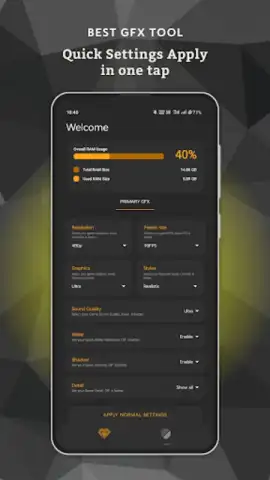
The utility distinguishes itself through granular control and adaptive technology. Unlike generic boosters, it allows for per-game configuration, meaning settings for a graphically intense RPG can differ from those used for a fast-paced competitive shooter. Its GFX tool module can unlock or modify certain visual parameters within supported games, potentially allowing for adjustments to shadow quality, texture filtering, or render distance that are not available in the standard game settings menu. The optimization process is designed to be non-intrusive, requiring no root access, and it implements memory cleaning and junk file removal cycles to maintain system health over prolonged gaming sessions.
- Real-Time Performance Dashboard: Monitor FPS, CPU/GPU load, temperature, and battery drain in an overlay while gaming.
- Custom Game-Specific Profiles: Save and launch unique optimization settings for each installed game for tailored performance.
- Advanced GFX Configuration Tool: Attempt to modify in-game visual settings like resolution and effects for supported titles.
Don't let technical limitations dictate your gaming experience. Gain the competitive edge and visual fidelity your device can deliver.
Download now for exclusive early access to premium features at no cost for a limited time.
Internet required. IAP available.


