
File Expert
File Expert screenshots (4)
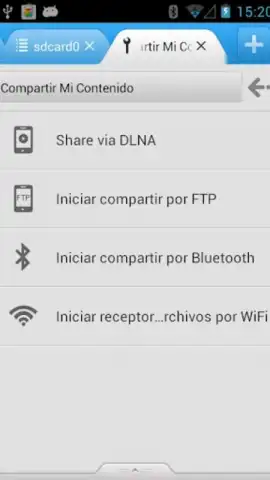
Description File Expert
Imagine your phone is a digital attic, crammed with photos, documents, and downloads. Finding anything feels like a chore, and sharing it with your computer or a friend is a tangled mess of cables and confusing steps. What if you had a master key—a single, powerful tool that not only organized everything instantly but also turned your device into a wireless file hub? That’s the reality with File Expert by Geek Software Technology Inc, a comprehensive file management suite engineered to give you absolute control over your Android’s digital ecosystem.
Unlock Unprecedented File Control & Wireless Freedom
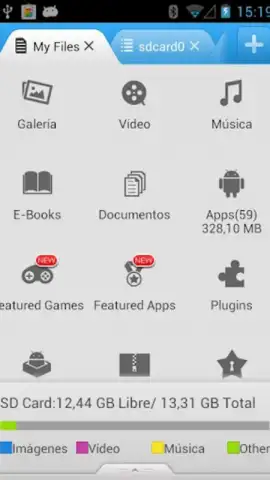
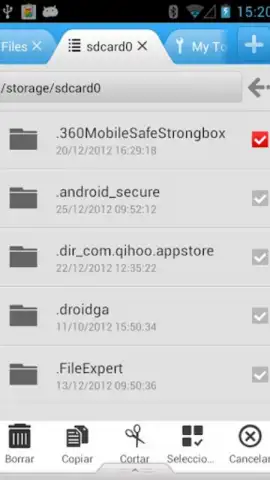
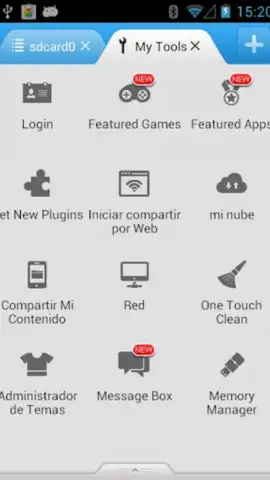
File Expert transforms your smartphone into a command center for every file and folder. It goes far beyond basic organization, providing a robust set of protocols and tools designed for both local management and advanced network operations. The built-in FTP and HTTP server functionality is a game-changer, allowing you to wirelessly access your phone's storage from any web browser or file explorer on your PC or Mac. Simply activate the server within the app, and your device appears as a network drive, enabling seamless drag-and-drop file transfers without any physical connections.
For accessing network shares and remote servers, File Expert includes integrated clients for SMB (Windows network shares), SFTP, FTP, and FTPS. This means you can directly connect to your home computer, NAS, or work server from your phone, browse files, and manage content on the go—provided you have a stable Wi-Fi connection. The app also features a powerful application manager that lets you review, uninstall, or create secure backup copies (APK files) of any installed app, storing them directly on your device for safekeeping or reinstallation. While other tools exist, File Expert distinguishes itself with the capability for automated, scheduled backups, a feature that requires root access on your device for full automation.
Handling compressed files is effortless. File Expert allows you to create, extract, and browse archives in ZIP and RAR formats directly, treating archived contents as if they were standard folders for quick previews and selective extraction. Furthermore, it eliminates the need to jump between apps by incorporating versatile file viewers. You can instantly preview text documents in various encodings, display high-resolution images, and browse photo galleries without leaving the manager interface. The optional Turbo mode enhances the experience by removing advertisements and unlocking additional performance benefits, creating a fluid, uninterrupted workflow.
Core Capabilities at a Glance
- Wireless FTP/HTTP server hosting
- Full network client support (SMB, SFTP)
- Advanced app management & backup
Your All-in-One File Authority Awaits
Stop struggling with disorganized storage and clumsy file transfers. File Expert consolidates a desktop-level of file control into your mobile device, combining a powerful manager, a wireless transfer station, and a versatile viewer into one streamlined application. Take command of your digital content today.
Download File Expert now and transform your phone into a productivity powerhouse!
Disclaimer: This application requires an internet connection for network and cloud features. Some advanced functionalities may require in-app purchases or root access on your device. Data usage charges may apply when transferring files over mobile networks. Please review the app's permissions and terms of use before installation. Content ratings may vary by region.


