

FireTube
FireTube screenshots (10)






Description FireTube
Imagine a scenario where your favorite YouTube music playlist, podcast, or ambient soundscape could follow you throughout your day, uninterrupted. You close your phone to save battery, switch to another app to reply to a message, or simply let your device sleep—and the audio stops. This common interruption is precisely what FireTube, developed by PalmerinTech, is engineered to eliminate. As a video player and editor tool, its core function is elegantly simple: it decouples audio from video on YouTube, allowing for persistent background playback. This transforms the vast YouTube library into a seamless, personal audio stream that operates independently of your screen’s state.
Core Functionality and User Experience
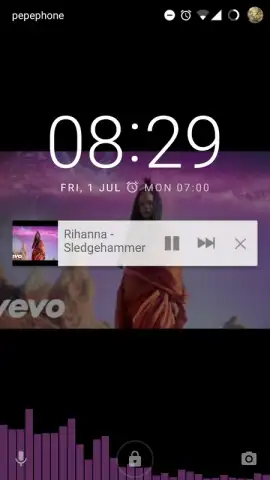
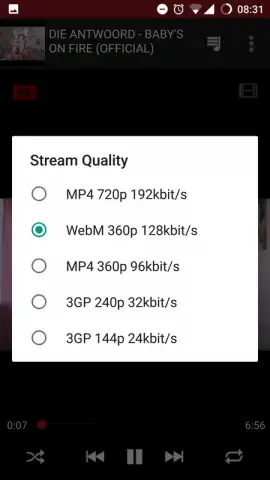
FireTube operates on a principle of minimalistic efficiency. Upon launching the app and selecting a YouTube video, playback initiates in a dedicated audio mode. The visual component is suppressed, leaving only a static image or a simple interface element. This design is not merely aesthetic; it serves a critical technical purpose by significantly reducing data consumption compared to standard video streaming. The transition to background audio is automatic and requires no user configuration. Once playback begins, you can confidently exit the app or turn off your device’s display. The audio continues without degradation, and you retain full playback control—pause, skip, or select another track—via the notification panel or lock screen controls, much like a native music player. This functionality extends to your personal YouTube account, enabling you to access and listen to your own saved playlists, subscriptions, and liked videos directly within FireTube’s optimized audio environment.
Detailed Feature Analysis
The application’s value is built upon a set of focused, practical features designed for the dedicated audio listener.
- Enables reliable background and screen-off audio playback for any YouTube video.
- Drastically lowers mobile data usage by streaming audio-only content instead of video.
- Provides full playback control from the notification shade and device lock screen.
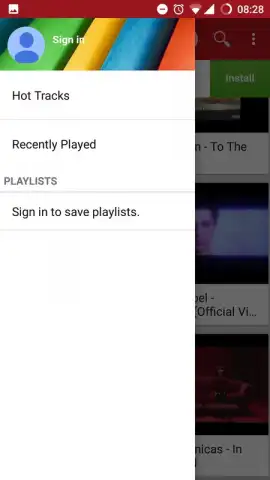
- Supports logging into your YouTube account to access personal libraries and playlists.
- Offers an ad-free listening experience, particularly with the optional Turbo mode activated.
The absence of video-centric interfaces and the option for an ad-free experience via Turbo mode underscore its specialization. It is not a general-purpose video client but a refined tool for a specific need: converting YouTube’s endless video catalog into a functional, portable audio archive.
Download the FireTube mobile app now and start streaming your audio without limits. Don't wait—transform your YouTube experience immediately!
A standard internet connection is required for streaming. The app may offer optional in-app purchases for enhanced features.


