
Force 4G LTE
Force 4G LTE screenshots (2)

Description Force 4G LTE
Ever feel like your phone's connection is playing hide and seek at the worst possible moment? You're trying to stream a video, join a crucial call, or share a big file, and suddenly you're stuck on a sluggish 3G signal. Force 4G LTE puts you back in control, giving you the power to lock your device onto the fastest available network and enjoy a consistently smooth, high-speed mobile experience.
Take Command of Your Connection
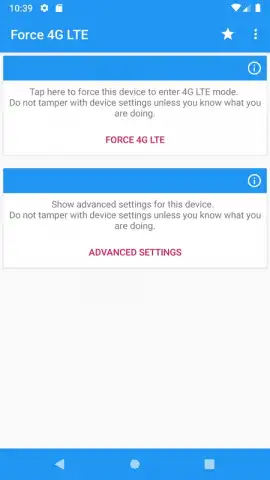
This utility app provides direct tools to manage your device's network preferences, prioritizing speed and stability. It allows you to manually select and lock your preferred network type, bypassing automatic switching that can sometimes drop you to a slower band. The interface presents clear, real-time information about your current network status, signal strength, and connection type, empowering you with the knowledge to make informed decisions about your data usage.
Key Advantages of Force 4G LTE
Experience a noticeable difference in your daily mobile use. The app is designed for clarity and immediate utility, stripping away unnecessary complexity to deliver its core function effectively. You get a streamlined dashboard that makes network management straightforward, helping to reduce frustrating lag during video calls, speed up large downloads, and provide a more reliable connection for online gaming or browsing. It’s a focused tool built to enhance performance where it matters most.
- Manually lock your device onto 4G/LTE networks for maximum speed.
- View detailed, real-time information about your current signal and connection.
- Bypass automatic network switching that can cause unexpected slowdowns.
- Enjoy a streamlined, user-friendly interface with immediate controls.
- Potentially improve stability for streaming, calls, and online gaming.
We suggest trying Force 4G LTE to experience a more reliable and controlled mobile data connection. Consider downloading it today and feel the difference a stable, high-speed link can make.
Disclaimer: This app requires an active mobile data plan and internet connection. Network availability and performance depend on your carrier, location, and device capabilities. This tool provides user controls for network selection; forced settings may not be supported on all devices or in all regions. Use in accordance with your carrier's terms of service. Data charges may apply.
 GooglePlay


