

Foxit PDF
Foxit PDF screenshots (5)

Description Foxit PDF
Foxit PDF Delivers a Complete, Native PDF Experience on Android
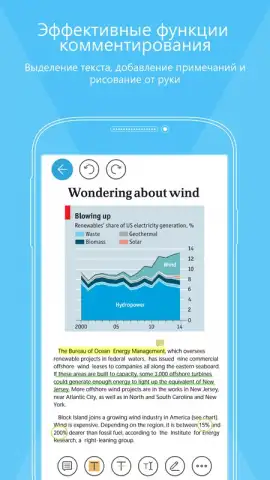
This application provides a dedicated environment for handling PDF documents directly on Android devices. Its core functionality centers on opening, viewing, and interacting with PDF files without requiring conversion or external services. A defining operational characteristic is the integrated annotation system, which allows for the creation and modification of notes, comments, and drawings from within the primary application interface, eliminating the need to switch between multiple tools for basic document markup.
Core Functionality and Viewing Modes
The software offers distinct viewing protocols optimized for different hardware. It includes a tablet-optimized viewing mode that adjusts layout and navigation for larger screens, and a separate mobile-optimized mode designed for efficient use on smaller smartphone displays. This ensures consistent readability and navigation comfort regardless of the specific Android device in use. The editing toolkit is built around direct manipulation: a text input tool enables placement of textual notes at any coordinate within the document page, while a freehand drawing instrument allows for markup directly on the PDF surface using a finger or stylus, with adjustable parameters for brush dimensions and color selection.
Key Operational Features
- Multi-Device Viewing Modes: Switch between a tablet-optimized interface and a streamlined mobile view for comfortable PDF reading on any Android screen size.
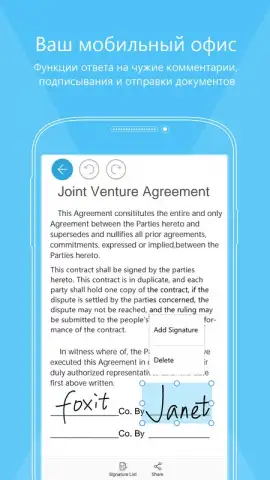
- Direct Document Annotation: Utilize the built-in text tool to insert editable notes and comments directly onto any part of a PDF page.
- Freehand Markup Capability: Draw and highlight over document content with a customizable brush, controlling stroke width and color from the toolbar.
The application processes documents locally, and certain advanced features may require an active internet connection for cloud synchronization or access to premium services. It may offer in-app purchases for additional professional tools or the removal of usage limitations. User data related to document management may be collected to improve core functionality. We suggest trying Foxit PDF for streamlined PDF viewing and direct annotation on your Android device.
Download the Foxit PDF mobile app now.
Disclaimer: Application requires an internet connection for initial license validation, certain cloud features, and updates. It may contain in-app purchases for advanced functionality. Please review the specific age rating on the Google Play Store. Data practices, including the collection of usage diagnostics and document management information, are detailed in the developer's privacy policy.
 GooglePlay


