

Fusion 360
Fusion 360 screenshots (3)
Description Fusion 360
Looking for a professional-grade design and modeling tool that fits in your pocket and integrates directly with your desktop workflow?
Core Functionality & Platform Integration
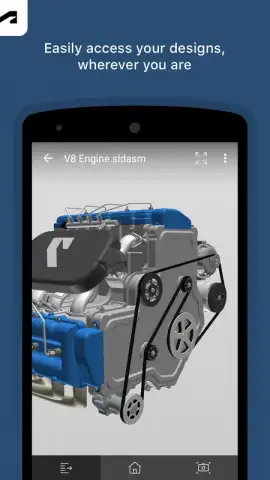
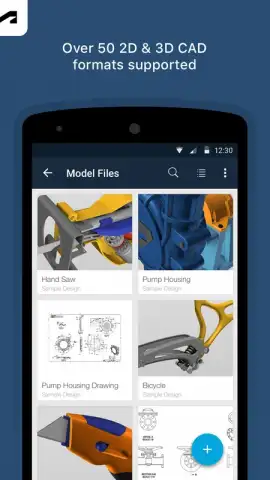
This mobile application serves as a companion to the desktop version of Autodesk Fusion 360, a cloud-powered CAD, CAM, CAE, and PCB software platform. It provides on-the-go access to your design projects stored in the cloud. The primary function is to view, measure, and mark up 3D models with precision. You can open designs from your Fusion Team hub, orbit, zoom, and pan around complex assemblies, and create snapshot views with comments to communicate feedback directly within the project ecosystem. This facilitates review cycles and collaboration without requiring you to be at your primary workstation.
Key Tools for Mobile Workflow
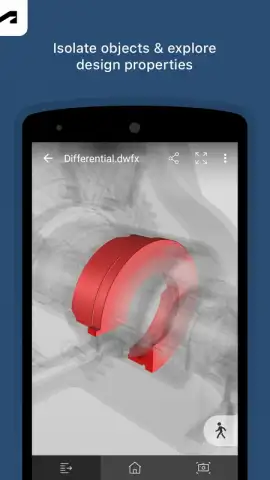
The interface is optimized for touch, translating complex CAD navigation into intuitive gestures. The measurement tool allows you to check distances between points, edges, and faces on the model with a simple tap-and-drag action. The markup feature enables you to add text comments or freehand drawings directly onto the 3D canvas, which are then saved and visible to other project members in the cloud. Furthermore, you can examine the model's assembly structure by expanding and collapsing the component browser, isolating parts for a clearer view even on a smaller screen.
Primary Advantages for Users
The utility lies in its seamless connectivity and focused toolset. It bridges the gap between the office and the field, allowing for immediate design interaction during client meetings, on the factory floor, or at a supplier. The performance is tuned for mobile devices, handling detailed models with responsive navigation. The visual fidelity maintains the model's textures, colors, and lighting, ensuring accurate representation. It effectively turns a tablet or large-screen phone into a portable design review station that syncs changes in real-time with the central cloud project.
- Cloud Model Viewer: Instantly access and inspect your entire Fusion 360 project library from any location with an internet connection.
- Precision Measurement Tools: Perform accurate dimensional checks on 3D models using intuitive touch controls for on-site verification.
- Live Collaboration Markups: Add persistent comments and sketches directly onto models to streamline feedback and design iteration.
Download the mobile app now to take your design review and collaboration process truly mobile. Don't wait—integrate your workflow immediately.
Disclaimer: This application requires a persistent internet connection for full functionality and cloud access. It is intended as a companion to a Fusion 360 subscription, which is managed separately. Some features may require an active subscription or involve in-app purchases. Data usage applies when downloading models and syncing data. Use of this app is subject to Autodesk's terms and privacy policy. Not all desktop features are available on mobile.
 GooglePlay


