

G Cloud Backup
G Cloud Backup screenshots (10)
Description G Cloud Backup
Never Lose a Memory Again: Your Phone's Automatic Safety Net
Imagine dropping your phone in a puddle, or the sudden panic when it simply won't turn on. Your contacts, years of messages, and thousands of photos feel instantly at risk. G Cloud Backup transforms that anxiety into confidence by acting as your device's automatic, wireless guardian. This powerful tool from Genie9 creates a continuous, secure copy of your entire digital life in the cloud, ensuring that every piece of data on your Android smartphone or tablet is preserved and ready for recovery at a moment's notice. It’s more than just backup; it’s a seamless continuity plan for your mobile existence, designed to work effortlessly in the background without requiring complex technical procedures like rooting your device.
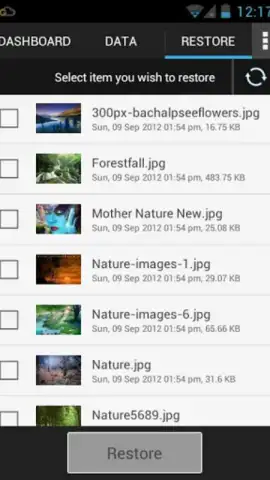
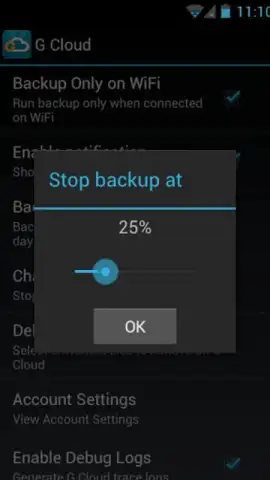
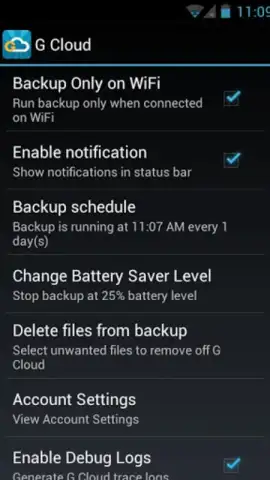
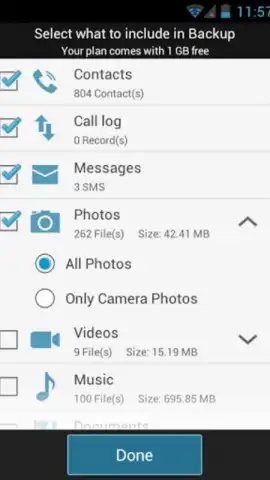
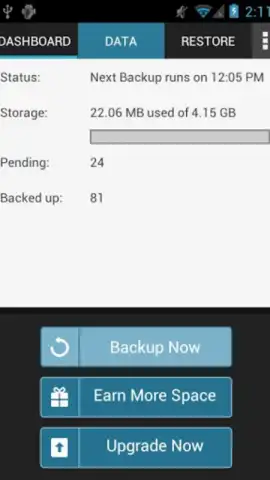
The core functionality of G Cloud Backup is comprehensive device coverage. It performs complete backups of your SMS messages, call history, contact lists, and all media files including photos, videos, and music libraries. The standout feature is the intelligent, automated scheduling system. You can configure the app to perform daily backups automatically, but it does so with smart bandwidth preservation: it only operates when your device is connected to a Wi-Fi network. This prevents unexpected consumption of your mobile data plan while ensuring all new information is safeguarded every 24 hours. Furthermore, the app excels in device migration. Its dedicated transfer tools allow you to send your complete backup profile to a new Android phone, effectively cloning your old device's data onto the new one in a process that takes just minutes, not hours.
Beyond simple storage, G Cloud Backup provides granular control over what gets saved and when, all within a clean, ad-free interface. The optional Turbo features enhance performance and provide expanded capabilities for power users who need even faster backup cycles and more storage management tools.
- Complete Android Data Protection
- Smart, Wi-Fi-Only Auto Backup
- Quick Device-to-Device Migration
We suggest trying G Cloud Backup to permanently solve the problem of data loss. Consider downloading this app today to establish a set-and-forget security system for your most important digital assets. It’s the simplest way to guarantee that your memories and information survive any mishap.
Download the G Cloud Backup mobile app now.
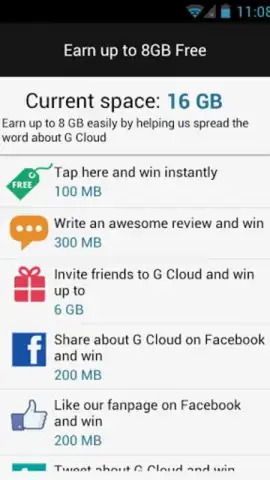
Disclaimer: This application requires a persistent internet connection for backup and restore functionality. Cloud storage services may involve subscription-based in-app purchases (IAP) for expanded capacity beyond the free tier. Users are responsible for managing their data usage, especially when configuring backup settings. The app requires standard Android permissions to access the data it is designed to back up. Please check the product page for specific age ratings and detailed data privacy practices.
 GooglePlay


