

Game Space Oppo
Game Space Oppo screenshots (4)
Description Game Space Oppo
Optimize Your OPPO Gaming Experience with Dedicated Performance Controls
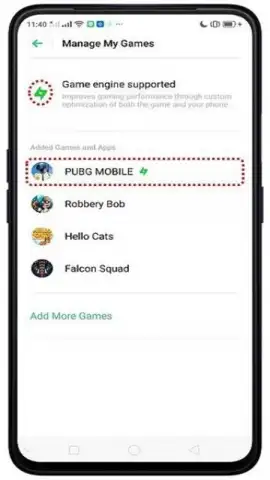
Game Space OPPO is a system-level performance suite designed exclusively for OPPO devices, transforming your smartphone into a more capable gaming platform. It functions as a centralized hub where every installed game can be individually managed and fine-tuned, moving beyond generic settings to provide application-specific optimizations. The core objective is to allocate maximum system resources—such as CPU, GPU, and memory—directly to your gameplay, minimizing background interference and stabilizing frame rates for a consistently smooth visual output. This results in a tangible reduction of lag, stutter, and performance dips during intensive gaming sessions, ensuring the hardware's potential is fully utilized.
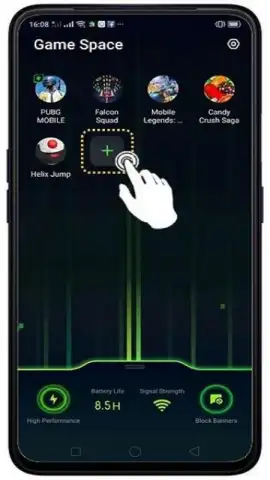
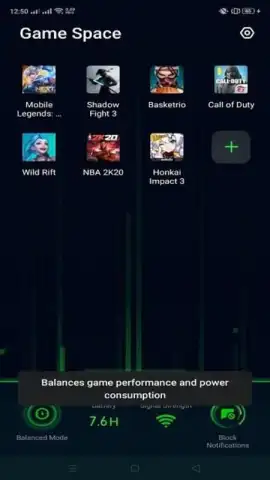
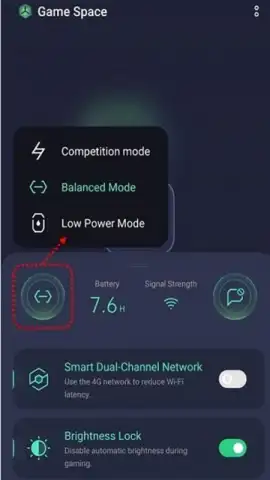
The application provides granular control over each game's operating parameters. Users can manually adjust the CPU performance mode, selecting between balanced and high-power profiles to match a game's demands. The graphics processing unit (GPU) settings can be modified to alter rendering resolution and texture detail, directly influencing the refresh rate and visual fidelity. A dedicated quick-launch panel allows for the creation of shortcuts to frequently played titles, enabling instant access from a single interface. Furthermore, the suite incorporates system-level features like disabling auto-brightness adjustments during gameplay to prevent sudden screen dimming and offering notification management modes to block incoming calls or mute alerts for uninterrupted immersion.
Core Feature Set
- Individual game performance profiles
- CPU and GPU parameter adjustments
- Quick-launch panel for favorites
- Gaming-focused notification controls
We suggest trying Game Space OPPO to directly manage your device's resources and unlock a more stable, high-frame-rate gaming experience on your compatible OPPO smartphone. Consider downloading the application to access system-level tuning options typically unavailable in standard settings menus.
Download mobile app now
Disclaimer: This system tool requires an OPPO device with compatible firmware and an internet connection for initial setup and updates. Functionality is dependent on your specific device model and Android version. The app may request permissions to manage applications and display over other apps. It does not contain third-party advertising. Please be aware that enabling high-performance modes may increase power consumption and device temperature. User discretion is advised.
 GooglePlay


