

Google Gallery
Google Gallery screenshots (7)


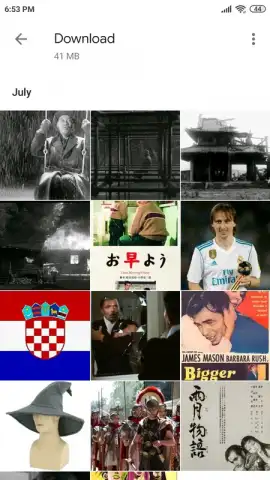
Description Google Gallery
Your Phone's Visual Library, Instantly Organized
Imagine opening your photo gallery and finding pure, effortless order instead of a chaotic scroll. That immediate sense of control is what Google Gallery delivers from the very first launch. This official Google application acts as your device's dedicated, offline-first curator, silently and intelligently organizing every image and video stored on your Android. It transforms your local storage into a streamlined visual library where everything has its place, requiring no cloud sync, no internet connection, and a remarkably small footprint on your device. Think of it as the essential, lightweight core of a gallery experience, built for speed and simplicity without sacrificing the smart organization you expect from Google.
A Focused Toolkit for Your Local Memories
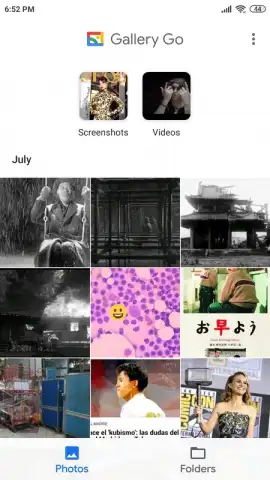
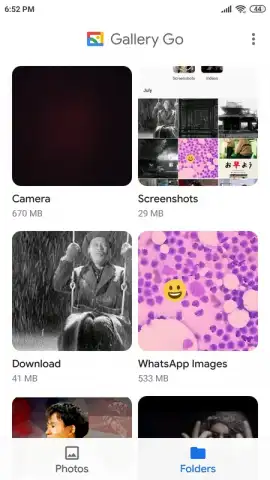
Google Gallery operates on a principle of focused utility. Every function is designed for direct, offline access to your media, providing a surprisingly powerful suite of tools within a minimalist interface. The application immediately categorizes your content upon opening, separating photos from videos and presenting a clear view of all your media alongside a structured folder browser. This automatic sorting happens seamlessly in the background, saving you the effort of manual organization. The built-in editor provides a straightforward set of adjustments for photos—fine-tune lighting, color saturation, and apply a selection of filters to enhance any shot. For videos, a quick trim tool allows you to edit clips down to the essential moments. The entire experience is wrapped in a clean, responsive interface that offers a choice between a light or dark theme to match your device's aesthetic, completing a package that feels both intentional and efficient.
- Offline-First Design: The entire application functions without an internet connection. Your organization, editing, and browsing are all performed locally on your device, ensuring privacy and instant access regardless of network availability.
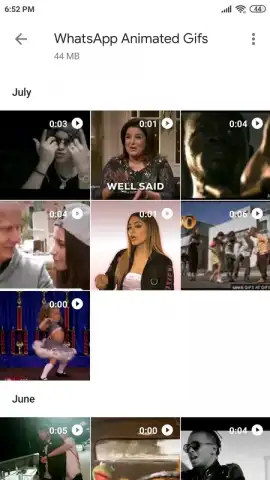
- Automatic Media Organization: Photos and videos are automatically sorted into distinct views upon launch. The app also provides a clear overview of all pictures and a separate, structured browser for device folders, creating immediate visual order.
- Lightweight Photo & Video Editor: Enhance photos with adjustments for light, color, and saturation, plus a gallery of filters. Quickly trim video clips to remove unwanted sections, all with simple, intuitive controls.
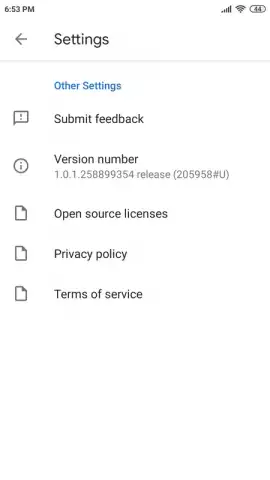
- Minimalist System Integration: With a focus on core functionality, the app maintains an extremely small installation size. The primary user-configurable setting is the choice between a high-quality light or dark theme interface.
- Smart Local Features: Leverages on-device technology like face grouping to help organize your personal photo collection intelligently, applying useful sorting without needing to upload anything to the cloud.
Consider downloading Google Gallery to experience a fast, clutter-free, and intelligent way to manage the photos and videos stored directly on your Android device. It provides a robust, offline-capable foundation for your visual media.
Download mobile app now
Disclaimer: This application operates primarily offline but may require internet access for initial download and potential updates. It is free to download and use. This app may process media data locally on your device for organizational features. User discretion is advised regarding personal media management. Data usage may apply if updates are downloaded via cellular network. Please check your device compatibility and available storage.
 GooglePlay


