

Gspace
Gspace screenshots (8)
Description Gspace
Unlock Your Huawei's True Potential
Imagine holding a powerful Huawei smartphone, appreciating its sleek design and camera, but feeling that familiar frustration when you try to download your essential apps. The search for a workaround ends here. Gspace transforms your device into a fully functional hub, seamlessly bridging the gap where Google Mobile Services (GMS) are absent. This isn't just a simple tool; it's a dedicated environment that lets you access, clone, and run the applications you rely on daily, as if they were natively installed.
Your Gateway to a Complete App Ecosystem
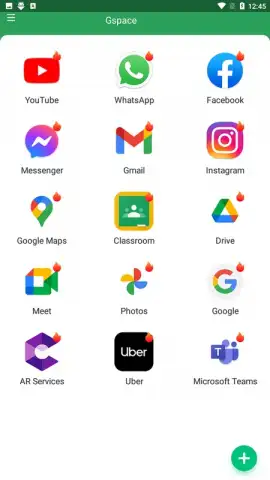
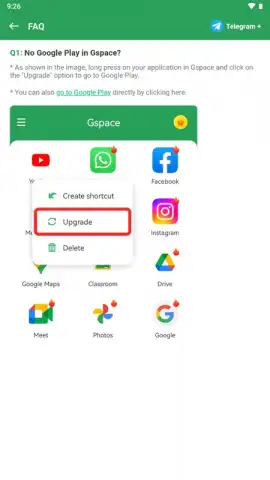
Gspace operates as a self-contained workspace on your Huawei device. The core experience revolves around its pre-loaded suite of Google applications, granting you immediate access without the complex and often unstable process of manually installing Google Play Services. You simply enter this space and find your essential tools ready to go. Beyond that, the app's cloning capability is where true flexibility begins. You can duplicate almost any application, including popular social media and messaging platforms, creating independent instances that run within Gspace's secure sandbox.
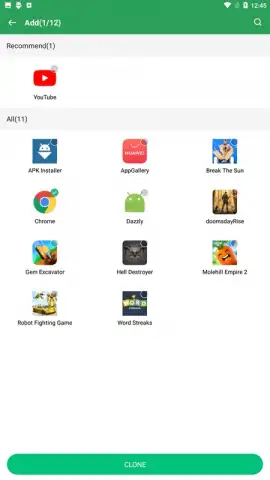
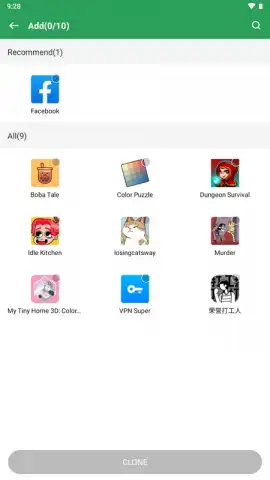
This architecture enables powerful multitasking features. You can run two instances of the same app simultaneously, allowing you to be logged into two different accounts on platforms like Instagram or WhatsApp at the same time. The integrated Turbo mode ensures these cloned apps run smoothly, optimizing performance without subjecting you to disruptive adverts within the Gspace environment itself. Should you need an app that isn't pre-loaded, the system allows you to add it directly, pulling it into this organized and efficient container.
Key Features at a Glance
- Instant Google Access: Launch a pre-integrated suite of Google applications immediately, eliminating the need for complex GMS installations on your Huawei device.
- Advanced App Cloning: Create duplicate instances of your favorite apps, from social networks to productivity tools, to run within an isolated, secure environment.
- Dual-Account Multitasking: Operate two separate accounts on the same application simultaneously, perfect for managing personal and professional profiles side-by-side.
- Ad-Free Turbo Experience: Benefit from enhanced app performance and smoother operation thanks to the optimized Turbo mode, all without intrusive advertising.
- Flexible App Management: Easily add new applications to your Gspace container directly; note that removing an app from your main device will also delete its cloned version from Gspace.
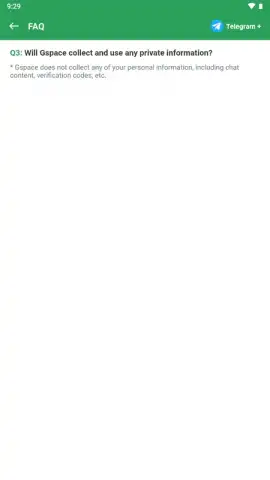
- Comprehensive Permission Handling: The tool requires permissions like access to calls, location, and storage to properly emulate the full functionality of the cloned applications and manage data.
It's important to plan your storage wisely. Cloning entire applications requires space, with each clone potentially occupying from 100 MB to several gigabytes, mirroring the size of the original app. This is the trade-off for having a fully independent, parallel app ecosystem running seamlessly on your device.
Download Gspace Now & Transform Your Phone Today!
Don't let another day go by with a limited smartphone experience. This is your exclusive opportunity to unlock every feature you've been missing. For a limited time, ensure you're among the first users to seamlessly integrate the entire app world onto your Huawei device. Click download now and complete your phone's potential in seconds!
Download mobile app now
Disclaimer: This application requires an active internet connection for full functionality. The developer, JR TECHNOLOGY LIMITED, is not affiliated with Google LLC or Huawei Technologies Co., Ltd. Some cloned applications may contain their own in-app purchases (IAP) or require separate subscriptions. Use of certain app features is subject to the respective application's age restrictions and terms of service. Granting permissions for calls, location, and storage is necessary for the emulation of cloned apps and data management; review permissions carefully. Data usage and storage consumption will increase based on the number and size of applications cloned. It is the user's responsibility to ensure compliance with all applicable terms of use.


