

Hidden Voice Recorder
Hidden Voice Recorder screenshots (5)
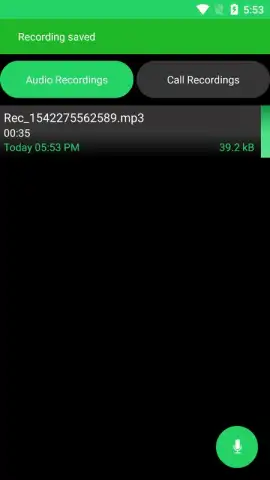
Description Hidden Voice Recorder
What if your Android device could become a dedicated, high-fidelity voice recorder with a single, discreet action? Hidden Voice Recorder by Master Software Solutions transforms this concept into a functional reality, moving beyond a simple audio note-taker to offer a suite of features designed for both convenience and covert operation. This Personalization tool operates with a focus on user-defined automation and secure storage, providing a surprisingly comprehensive recording solution directly from your smartphone.
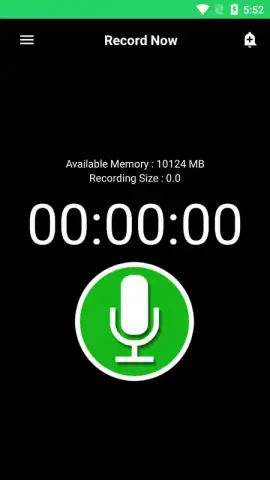
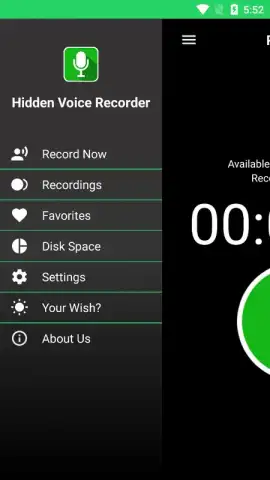
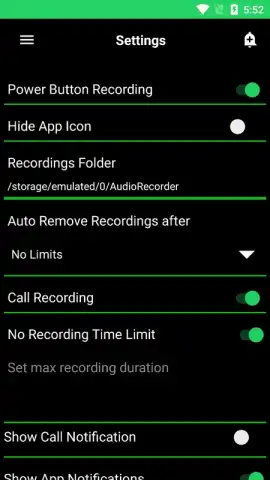
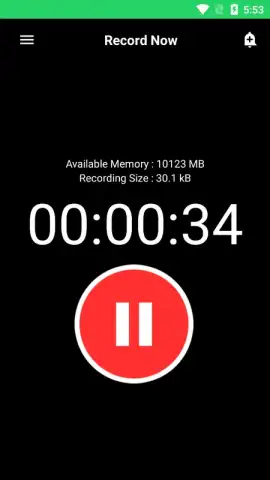
The application’s core mechanics are built around accessibility and control. Recording initiation is multi-modal: you can use a prominent in-app button, a customizable home screen widget for immediate access, or a configured hardware button shortcut. The process of starting and stopping a recording is confirmed by a distinct device vibration, offering silent, tactile feedback. Beyond basic recording, the settings panel reveals a depth of configuration. Users can designate a specific local folder for file management, set a maximum recording duration to conserve storage, and enable automatic call recording. For data security and backup, an integrated synchronization feature allows all recordings to be uploaded automatically to a linked Dropbox account, ensuring they are preserved off-device.
Core Features & Functional Analysis
The utility of Hidden Voice Recorder is defined by its specific feature set, which prioritizes stealth, automation, and management.
- Multi-Activation Recording: Start sessions via in-app control, home screen widget, or a configurable triple-press hardware button.
- Stealth Operation Feedback: Silent vibration alerts confirm both the beginning and the end of a recording process.
- Automated Call Recording: Enable a setting to systematically capture both sides of incoming and outgoing phone calls.
- Cloud Backup Synchronization: Automatically uploads all audio files to Dropbox for secure, off-device storage and access.
- Advanced Session Management: Set maximum recording limits and customize local storage folders for organized file keeping.
The app presents a clear value proposition for users requiring reliable, hands-off audio capture. The elimination of visual cues through vibration feedback and the option for hardware-button activation make it suitable for situations where discretion is paramount. The automated features, particularly call recording and cloud sync, shift the tool from a manual utility to a semi-autonomous system for preserving audio information.
Get your definitive recording advantage now and transform your device's capability.
Disclaimer: This application requires an internet connection for cloud synchronization features. Automatic call recording may be subject to legal restrictions in your jurisdiction; it is the user's sole responsibility to comply with all local, state, and federal laws regarding consent for recording conversations. The app may contain in-app purchases. Data usage applies for synchronization and backup. Not intended for use by individuals under the age of 18 due to the nature of its features.


