
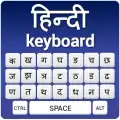
Hindi Keyboard
Hindi Keyboard screenshots (3)

Description Hindi Keyboard
Your Phone, Now Fluent in Hindi
Typing in Hindi on a standard English keyboard has always been a compromise—a clunky dance of transliteration tools, incorrect autocorrect, and lost nuance. This app eliminates that friction entirely, transforming your device's native input into a seamless portal for the Devanagari script. It’s not just an add-on; it’s a fundamental upgrade to your phone’s linguistic capability, designed for anyone who thinks, communicates, or creates in Hindi.
Features & Core Mechanics
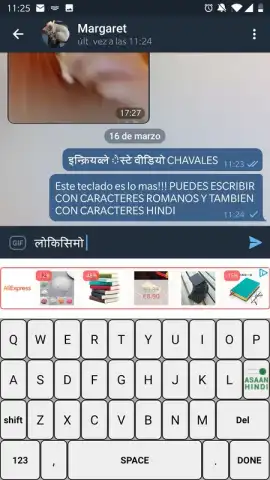
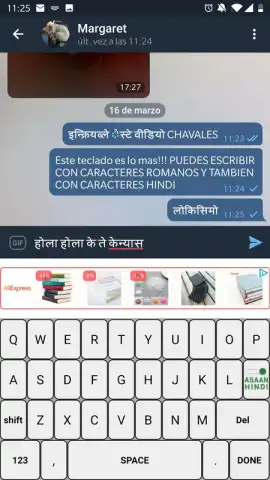
The Hindi Keyboard app operates as a full-system input method replacement. Upon activation in your device settings, it provides a dedicated, intelligent keyboard layout for Hindi typing. The primary interface offers a clean, intuitive Devanagari character set, but the true functionality lies in its dual-input intelligence. You can type phonetically using Roman letters (like "aap kaise hain"), and the keyboard’s engine instantly and accurately converts it to the correct Hindi script ("आप कैसे हैं"). This transliteration is context-aware, significantly reducing errors common in simpler converters. For direct input, a well-organized Hindi character layout is always available, with commonly used conjuncts and modifiers easily accessible. Beyond basic typing, the keyboard includes a dedicated number row, essential punctuation, and swift switching between Hindi and English with a single key tap, making bilingual conversations effortless.
The user experience is built around customization and efficiency. You can adjust the keyboard’s theme, resize its height for comfort, and utilize smart features like next-word prediction and auto-correction specifically tuned for Hindi vocabulary. This isn't a static tool; it learns from your typing habits to speed up your communication. Whether you're sending a quick WhatsApp message, composing a formal email, or posting on social media, the keyboard integrates directly into every text field on your device, requiring no copy-pasting from external apps.
Key Advantages
- Intelligent Transliteration: Type in Roman letters for instant, accurate Hindi script conversion.
- Full System Integration: Works in every app, from messaging to browsing, as your primary input method.
- Highly Customizable Interface: Adjust themes, size, and layout to match your personal preference.
- Optimized for Speed: Features like word prediction and one-tap language switching streamline typing.
Don't let a technical barrier slow down your expression. This is the definitive tool for bringing authentic Hindi communication to your daily digital life. Download the mobile app now—for a limited time, new users get exclusive access to a premium theme pack to personalize their keyboard from the start.
Heads up: you'll need wifi for the initial download and dictionary updates. Some advanced themes and features are extra.


