

IDM (internet download menager)
IDM (internet download menager) screenshots (7)

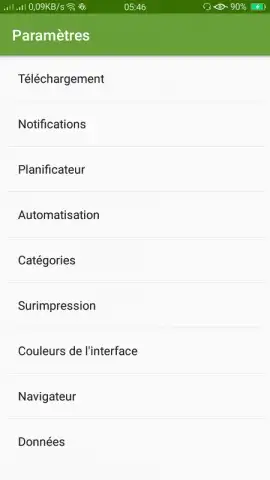
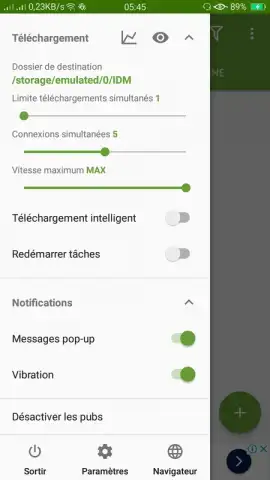
Description IDM (internet download menager)
Imagine you’ve finally found the perfect high-definition video or a critical large file online, only to face a sluggish, unreliable download that fails halfway. This scenario, common on mobile devices, highlights the need for a dedicated download management tool that goes beyond basic browser capabilities.
Core Download Management Features
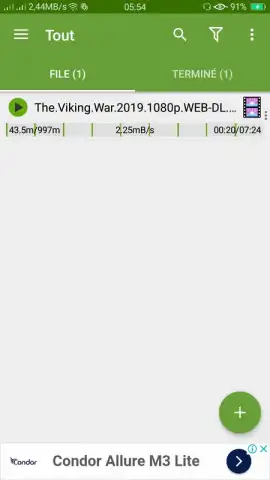
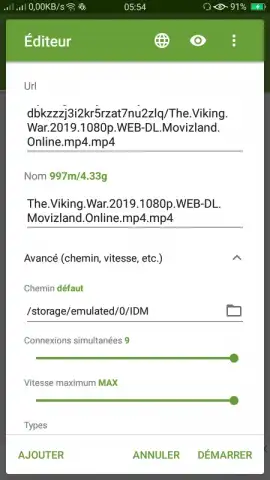
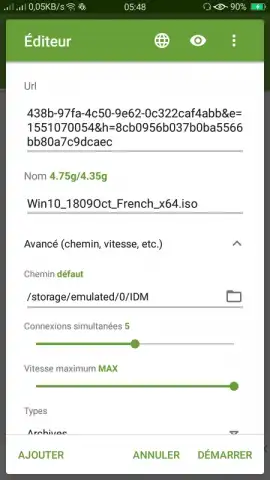
IDM (Internet Download Manager) for mobile is engineered to handle file retrieval with enhanced control and efficiency. The application integrates directly with your browser, detecting downloadable links for videos, documents, and software packages. It employs a dynamic file segmentation system, splitting downloads into multiple concurrent streams to maximize available bandwidth. The interface provides a centralized queue where users can prioritize, pause, and resume downloads without losing progress, which is particularly useful for unstable connections or large files.
Operational Advantages and User Experience
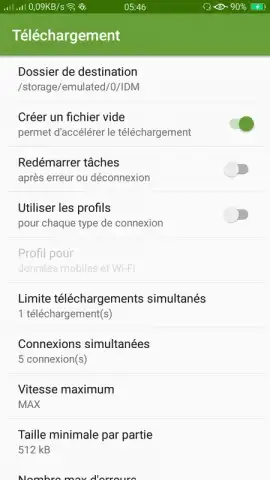
The utility’s primary strength lies in its scheduling and organization functions. Users can set downloads to commence during off-peak hours or only when connected to Wi-Fi, conserving data plans. Downloaded files are automatically sorted into user-defined folders based on type—such as Videos, Music, or Archives—reducing manual file management. Performance is focused on stability; the manager maintains download integrity through error recovery and can resume broken downloads from the last received byte, rather than restarting.
- Accelerated Download Speeds: Utilizes multi-threading technology to split files and download segments simultaneously.
- Browser Integration & Link Capture: Automatically detects downloadable content from most mobile browsers and apps.
- Scheduler & Queue Management: Plan downloads for specific times and manage an active queue with pause/resume control.
Download this mobile app now and transform how you handle files on your device. Don't wait—get immediate control over your downloads!
Heads up: you'll need wifi for most features. Some cool stuff is extra.


