

iKeyboard
iKeyboard screenshots (5)
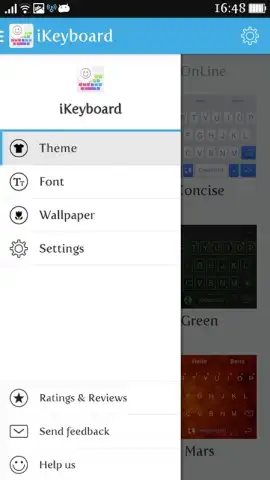

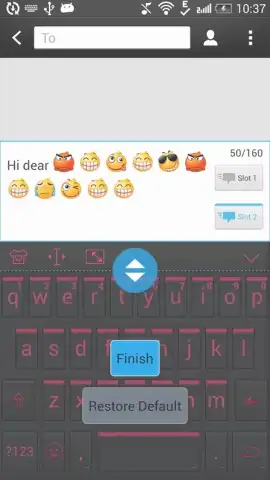

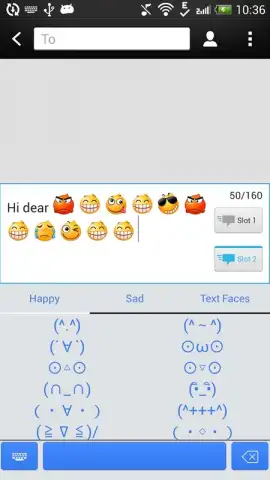
Description iKeyboard
A Third-Party Keyboard That Prioritizes Function and Customization
iKeyboard for Android presents itself as a modular input tool designed to replace the default system keyboard. Its core proposition is extensive visual and functional customization, moving beyond basic theming to offer a tailored typing interface. The application operates as an independent service that integrates with the device's text input framework, requiring standard permissions for full functionality across messaging and social applications.
Core Functionality and User Experience
The application provides a suite of customization tools centered on visual themes and linguistic support. Users can apply one of several dozen pre-configured keyboard themes, which range from minimalist, monochromatic layouts to more vibrant, graphically detailed designs. This visual layer is separate from the core input logic, which supports over thirty language dictionaries, including English, Spanish, Chinese, Japanese, Russian, and German for autocorrect and prediction. A notable library of over 3000 unique glyphs, encompassing modern emoji, emoticons, and classic text-based smileys, is accessible directly from the primary keyboard interface for use in platforms like WhatsApp, Twitter, and Facebook.
The developer emphasizes an ad-free experience for users who activate the optional Turbo mode, which is positioned as a performance-enhancing feature. The keyboard's architecture allows for real-time switching between themes and language dictionaries without needing to close active text sessions. Performance is dependent on the host device's specifications, with the keyboard processing input locally while sourcing theme assets and language packs from its servers during initial setup.
- Extensive Theme Library: Offers a curated selection of visual themes, from professional minimalist styles to colorful, animated backgrounds.
- Multi-Language & Emoji Database: Integrates predictive text for 30+ languages and provides instant access to a vast, categorized emoji collection.
- Ad-Free Turbo Operation: An optional operational mode designed to remove promotional content and potentially streamline keyboard responsiveness.
Practical Analysis and Implementation
From a technical standpoint, iKeyboard functions as a standard input method editor (IME). The customization features are largely cosmetic, affecting key shapes, backgrounds, and press animations, while the underlying typing engine handles prediction. The large emoji database is a static library, requiring periodic updates via the app to include new standards. The value proposition hinges on user desire for a highly personalized visual experience without intrusive advertising, contingent on enabling the proprietary Turbo mode. It is a utility focused on altering the aesthetics and supplemental content of the typing process rather than introducing novel input methodologies.
Get your personalized keyboard and emoji advantage now.
Heads up: you'll need wifi for initial theme downloads and language pack updates. Some premium themes and the ad-free Turbo mode are extra.


