
iLock Screen
iLock Screen screenshots (6)
Description iLock Screen
Transform Your Android Lock Screen with iPhone Elegance
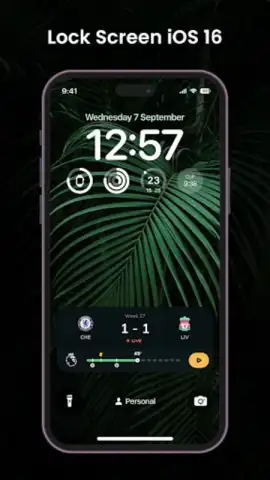
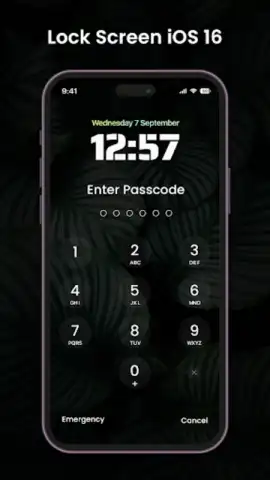
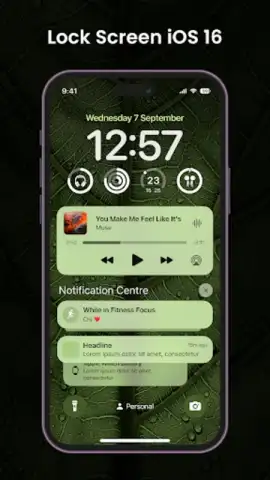
iLock Screen delivers the sophisticated, polished aesthetic of an iPhone lock screen directly to your Android device, merging seamless functionality with high-end design. This application meticulously replicates core iOS lock screen mechanics—including passcode security, swipe-to-unlock gestures, and live notification displays—to provide an elegant and intuitive user interface. It enhances both security and convenience by allowing you to preview critical alerts and information without fully unlocking your phone, perfectly blending practical utility with visual appeal for a truly premium experience.
Deep Customization and Personal Control
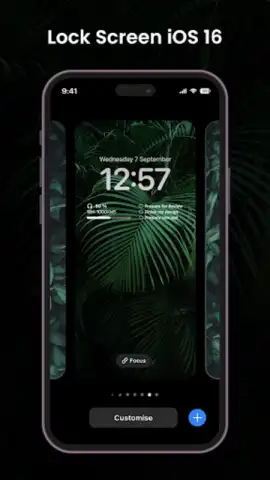
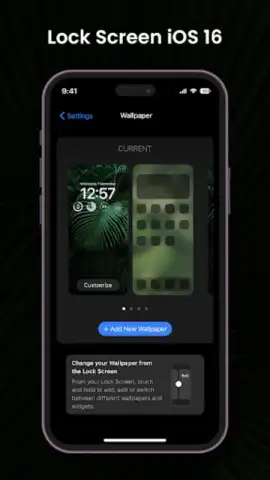
With iLock Screen, your lock screen becomes a canvas for personal expression. The app provides access to an extensive, curated library of high-definition wallpapers spanning various styles and themes, alongside the ability to set your own personal photos as the background. This focus on customization ensures your device reflects your individual taste, harmonizing personal style with the app’s streamlined functionality. Every element is designed to be tailored, making it an ideal choice for users who prioritize a unique, cohesive look without sacrificing operational smoothness.
An Uninterrupted, Feature-Rich Experience
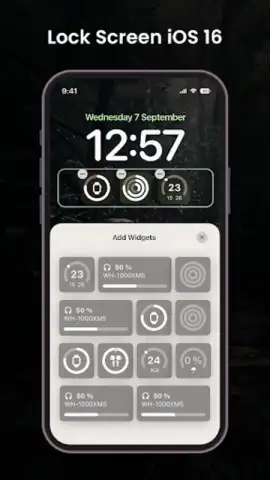
iLock Screen operates as a lightweight, efficient layer over your system, engineered to ensure zero impact on battery life or device performance. It integrates practical widgets directly onto the lock screen, including a stylish digital clock and a real-time weather forecast module, delivering essential information at a glance. The dedicated Night Mode automatically switches the interface to a darker color palette for comfortable viewing in low-light conditions, reducing eye strain. This commitment to a seamless, ad-free experience—especially when utilizing its Turbo performance mode—ensures every interaction is fluid and focused.
- iPhone-Style Security & Access: Implements passcode protection, swipe-to-unlock, and live notification previews for a secure yet convenient access point to your device.
- Extensive Visual Personalization: Choose from a vast gallery of HD wallpapers or use your own photos to create a completely unique lock screen background and theme.
- At-a-Glance Information Widgets: Features a built-in stylish clock and real-time weather widget displayed directly on the lock screen for immediate access to key data.
Start transforming your Android interface today. Download iLock Screen now and claim your sleek, personalized, and highly functional lock screen advantage!
Disclaimer: This application requires an internet connection for certain features like weather updates and wallpaper downloads. The app may contain in-app purchases. Please be aware of data usage charges from your provider. Use of this app is subject to the developer's terms and conditions. This product is not affiliated with or endorsed by Apple Inc.


