Image Converter

Image Converter

4.5 65 ratings
78 Views
9 MB Size
3+ Age

Image Converter screenshots (8)
Image Converter скриншот 1
Image Converter скриншот 2
Image Converter скриншот 3
Image Converter скриншот 4
Image Converter скриншот 5
Image Converter скриншот 6
Image Converter скриншот 7
Image Converter скриншот 8

Description Image Converter

Struggling with incompatible image files across different platforms and devices?

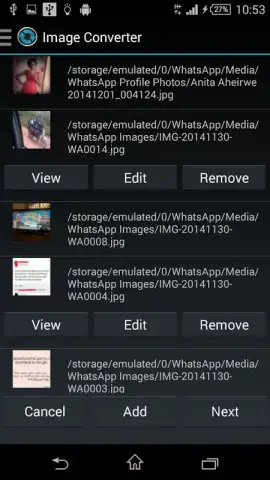
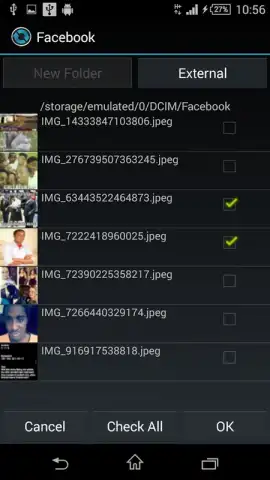
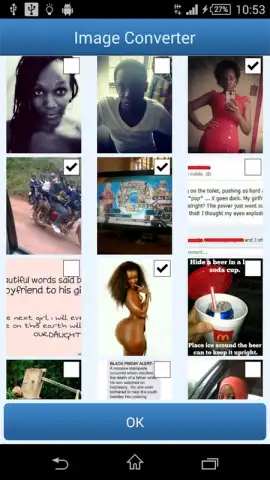
Image Converter provides a comprehensive technical solution for Android users who need to manage and transform digital images across a wide array of formats. The core functionality addresses the common workflow interruption caused by unsupported file types, enabling direct conversion from one format to another without compromising on accessibility. The application is engineered to read and open an extensive range of input formats, including but not limited to JPEG, PNG, GIF, TIFF, and BMP, ensuring it can process virtually any image file you encounter. This eliminates the need for multiple specialized viewers or online tools, centralizing your conversion tasks within a single utility.

Core conversion capabilities and output optimization

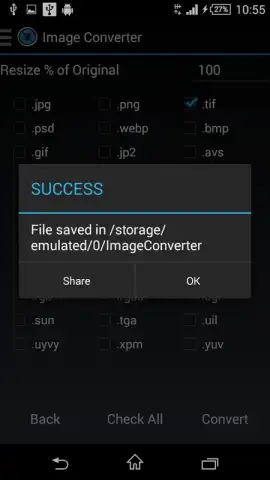
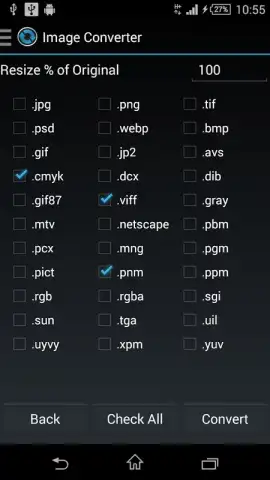
The utility's primary operation centers on its conversion engine, which supports a vast spectrum of output formats. You can convert source images into AI, BMP, CIN, EPS, GIF, HD, HDR, PDF, PNG, PPM, SVG, and WEBP files, among others. This specific range of options allows for precise optimization based on the intended use-case, whether for web publication requiring WEBP, vector editing requiring SVG, high-quality print requiring TIFF or PDF, or digital archiving. The conversion process is designed to maintain high output quality, ensuring that visual integrity is preserved while adapting the file's technical structure to the selected format's specifications. This is critical for professionals and casual users alike who require reliable format shifting for compatibility with different software suites, operating systems, or hardware devices.

Enhanced workflow management through premium features

A premium upgrade tier is available to extend the application's functionality beyond basic single-file conversions. Activating this tier unlocks the ability to process more than five files simultaneously in a batch operation, significantly accelerating workflow when handling large sets of images. Furthermore, it enables the selection of multiple different output formats from a single batch job and removes all advertising modules from the application interface. These specific features are aimed at users with frequent, high-volume conversion needs, transforming the tool from a simple converter into a productivity utility that saves considerable time and reduces manual repetitive tasks.

  • Broad input format support
  • Batch conversion capabilities
  • Ad-free interface option

We suggest trying Image Converter if you regularly need to adapt images for different digital platforms, storage systems, or professional software. Consider downloading it to handle format compatibility issues directly on your Android device.

Heads up: you'll need wifi for initial app download and potential updates. Some cool stuff, like batch processing and ad-free use, is extra through a premium subscription.

Manually checked and VirusTotal

Latest version

Version
9.0.41_armv7a
Date
17.03.2026
Signature
2be12d553bb8ce779d2ff091aca6134e
Architecture
armeabi-v7a
GooglePlay GooglePlay

About this app

Developer
Paul Asiimwe
Package name
com.paul.icon
Min. Android
Android + 5.0
Age
3+

Version history Image Converter

Image Converter 9.0.41_armv7a
17.03.2026
9 MB
Image Converter 9.0.41_arm64v8a
17.03.2026
9.36 MB
Image Converter 9.0.40_arm64v8a
17.03.2026
9.45 MB
Image Converter 9.0.8_arm64v8a
17.03.2026
5.06 MB
Image Converter 9.0.38_arm64v8a
17.03.2026
9.23 MB
Image Converter 9.0.37_arm64v8a
17.03.2026
9.23 MB
Image Converter 9.0.35_arm64v8a
17.03.2026
9.23 MB
Image Converter 9.0.34_armv7a
17.03.2026
5.07 MB
Image Converter 9.0.34_arm64v8a
17.03.2026
4.93 MB
Image Converter 9.0.27_armv7a
17.03.2026
6.37 MB
Image Converter 9.0.27_arm64v8a
17.03.2026
6.73 MB
Image Converter 9.0.26_armv7a
17.03.2026
6.35 MB
Image Converter 9.0.25_armv7a
17.03.2026
6.14 MB
Image Converter 9.0.25_arm64v8a
17.03.2026
6.51 MB
Image Converter 9.0.23_armv7a
17.03.2026
6.14 MB
Image Converter 9.0.17_armv7a
17.03.2026
6.12 MB
Image Converter 9.0.17_arm64v8a
17.03.2026
6.51 MB
Image Converter 9.0.10_armv7a
17.03.2026
6.12 MB
Image Converter 9.0.10_arm64v8a
17.03.2026
3.63 MB
Image Converter 8.992_armv7a
17.03.2026
7.4 MB
Image Converter 8.97_armv7a
17.03.2026
7.39 MB
Image Converter 8.95_arm64v8a
17.03.2026
7.27 MB
Image Converter 8.19_arm64v8a
17.03.2026
7.31 MB
Image Converter 8.18_arm64v8a
17.03.2026
7.39 MB
Image Converter 8.17_armv7a
17.03.2026
6.43 MB
Image Converter 8.14_arm64v8a
17.03.2026
6.78 MB
Image Converter 8.12_arm64v8a
17.03.2026
6.8 MB
Image Converter 8.11_armv7a
17.03.2026
3.88 MB
Image Converter 8.10_armv7a
17.03.2026
3.88 MB
Image Converter 8.10_arm64v8a
17.03.2026
3.88 MB
Image Converter 8.09_armv7a
17.03.2026
3.88 MB
Image Converter 8.09_arm64v8a
17.03.2026
3.88 MB
Image Converter 8.08_armv7a
17.03.2026
6.31 MB
Image Converter 8.08_arm64v8a
17.03.2026
6.65 MB
Image Converter 8.07_armv7a
17.03.2026
6.3 MB
Image Converter 8.07_arm64v8a
17.03.2026
3.84 MB
Image Converter 8.03_x86
17.03.2026
3.85 MB
Image Converter 8.03_armv7a
17.03.2026
6.31 MB
Image Converter 8.03_arm64v8a
17.03.2026
3.85 MB
Image Converter 8.02_armv7a
17.03.2026
6.17 MB
Image Converter 8.02_arm64v8a
17.03.2026
3.7 MB
Image Converter 8.01__armv7a
17.03.2026
3.7 MB
Image Converter 8.01__arm64v8a
17.03.2026
3.7 MB
Image Converter 8.00__armv7a
17.03.2026
3.71 MB
Image Converter 8.00__arm64v8a
17.03.2026
3.7 MB
Image Converter 7.16_armv7a
17.03.2026
2.92 MB
Image Converter 7.14_armv7a
17.03.2026
5.63 MB
Image Converter 7.13_armv7a
17.03.2026
4.14 MB
Image Converter 7.12_armv7a
17.03.2026
7.39 MB
Image Converter 7.12_arm64v8a
17.03.2026
4.65 MB
Image Converter 7.10_armv7a
17.03.2026
5.49 MB
Image Converter 7.10_arm64v8a
17.03.2026
2.78 MB
Image Converter 7.09_armv7a
17.03.2026
5.49 MB
Image Converter 7.07_armv7a
17.03.2026
5.74 MB
Image Converter 7.07_arm64v8a
17.03.2026
2.99 MB
Image Converter 7.06_armv7a
17.03.2026
5.84 MB
Image Converter 7.06_arm64v8a
17.03.2026
6.18 MB
Image Converter 7.05_armv7a
17.03.2026
5.84 MB
Image Converter 7.00_armv7a
17.03.2026
5.74 MB
Image Converter 6.09_armv7a
17.03.2026
5.7 MB
Image Converter 6.09_arm64v8a
17.03.2026
6.04 MB
Image Converter 6.08_armv7a
17.03.2026
5.63 MB
Image Converter 6.05_armv7a
17.03.2026
5.99 MB
Image Converter 6.05_arm64v8a
17.03.2026
6.27 MB
Image Converter 6.02_armv7a
17.03.2026
5.48 MB
Image Converter 5.81_armv7a
17.03.2026
5.22 MB
Image Converter 5.77_arm64v8a
17.03.2026
6.89 MB
Image Converter 5.63_arm64v8a
17.03.2026
5.56 MB
Image Converter 5.5.9_armv7a
17.03.2026
4.66 MB
Image Converter 5.4.8_armv7a
17.03.2026
4.48 MB
Image Converter 5.3.3_armv7a
17.03.2026
4.87 MB
Image Converter 4.2.2_armv7a
17.03.2026
3.93 MB
Image Converter 4.1.9_armv7a
17.03.2026
3.81 MB
Image Converter 4.1.6_armv7a
17.03.2026
3.91 MB

Ratings and reviews for Image Converter

4.5
65 ratings

Leave a review

2 + 4 =
Manually checked and VirusTotal
Latest version
Version
9.0.41_armv7a
Date
17.03.2026
Signature
2be12d553bb8ce779d2ff091aca6134e
Architecture
armeabi-v7a
GooglePlay GooglePlay
About this app
Developer
Paul Asiimwe
Package name
com.paul.icon
Min. Android
Android + 5.0
Age
3+