

Image & Video Date Fixer
Image & Video Date Fixer screenshots (4)
Description Image & Video Date Fixer
The Problem of Incorrect Media Timestamps
A common technical issue arises when transferring photo and video libraries between devices or restoring from backups: the creation dates embedded in the files' metadata can become scrambled or reset. This disrupts the chronological order in galleries and cloud services, making it difficult to locate media based on when it was actually captured. The Image & Video Date Fixer app is a utility designed to address this specific problem by providing direct access to and control over the EXIF and other metadata timestamps for images and videos stored on an Android device.
Core Functionality and Interface Analysis
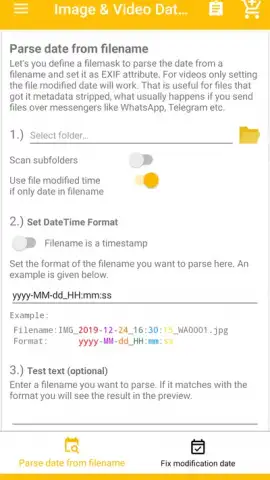
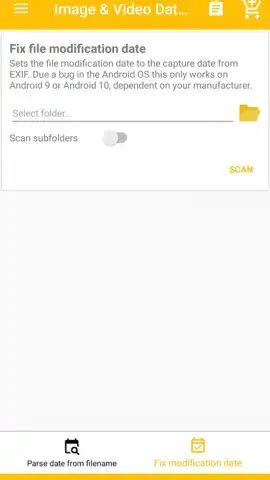
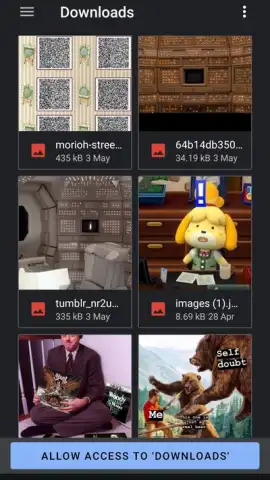
The application operates by granting the user permission to access device storage. Upon launch, it prompts you to select a specific folder containing the media files you wish to modify. The app then scans the directory and presents a scrollable grid view of all compatible images and videos. Selection is performed through a simple tap interface. Once files are selected, the editing panel becomes active. Here, you input the new date and time using a standardized format (YYYY:MM:DD HH:MM:SS). The app writes this new timestamp directly into the file's metadata, effectively changing its system-recognized creation date. The process is batch-enabled, allowing for the modification of multiple files simultaneously with a single date entry.
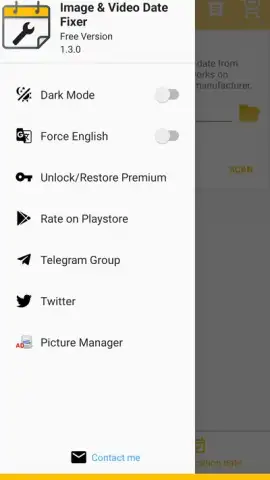
A notable aspect is the application's monetization model. The free version imposes a limit of twenty editable files per operation. This restriction is removed in the premium tier, often referred to as "Turbo" within the app, which also typically eliminates advertisement placements. The initial user interface presents all core functions on a single screen, which can appear dense with controls, but navigation becomes straightforward after the first use. The primary value is its focused, no-frills approach to a niche but persistent file management task.
Key Application Features
- Batch metadata editing for both image and video file formats in a single operation.
- Direct storage folder access to pinpoint and modify specific albums or directories.
- Precise timestamp formatting using a standardized international date and time input system.
- A free tier available for testing core functionality with a limit of twenty files.
- A premium "Turbo" upgrade that removes file limits and advertisement units.
Download this mobile app now to regain control over your media library's chronology!
Disclaimer: This application requires an internet connection for initial functionality verification and potential advertisement serving. It contains in-app purchases to unlock the premium "Turbo" version. The app requires extensive permissions to access, read, and modify files on your device storage. Use of this tool is at your own risk; it is advised to create backups of important media before performing batch metadata edits. Data usage depends on ad serving and license checks.
 GooglePlay


